

索 Finding media
Search & filter
The search bar, recent searches, the filter bar, type filters, tags and multi-level sorting.
The search bar
Type and the grid answers as you go. Search matches file names, tags and packs, so fabric finds 0001_Fabric.mp4, anything tagged fabric, and every file in a pack with fabric in its name.
The status bar confirms what you’re looking at — Search: “liquid” — 104 results — and the paging bar shows how long the query took.
Recent searches
Click into the empty search bar and your recent searches drop down, each with the number of results it returned. Click one to run it again; Clear History empties the list.

The filter bar
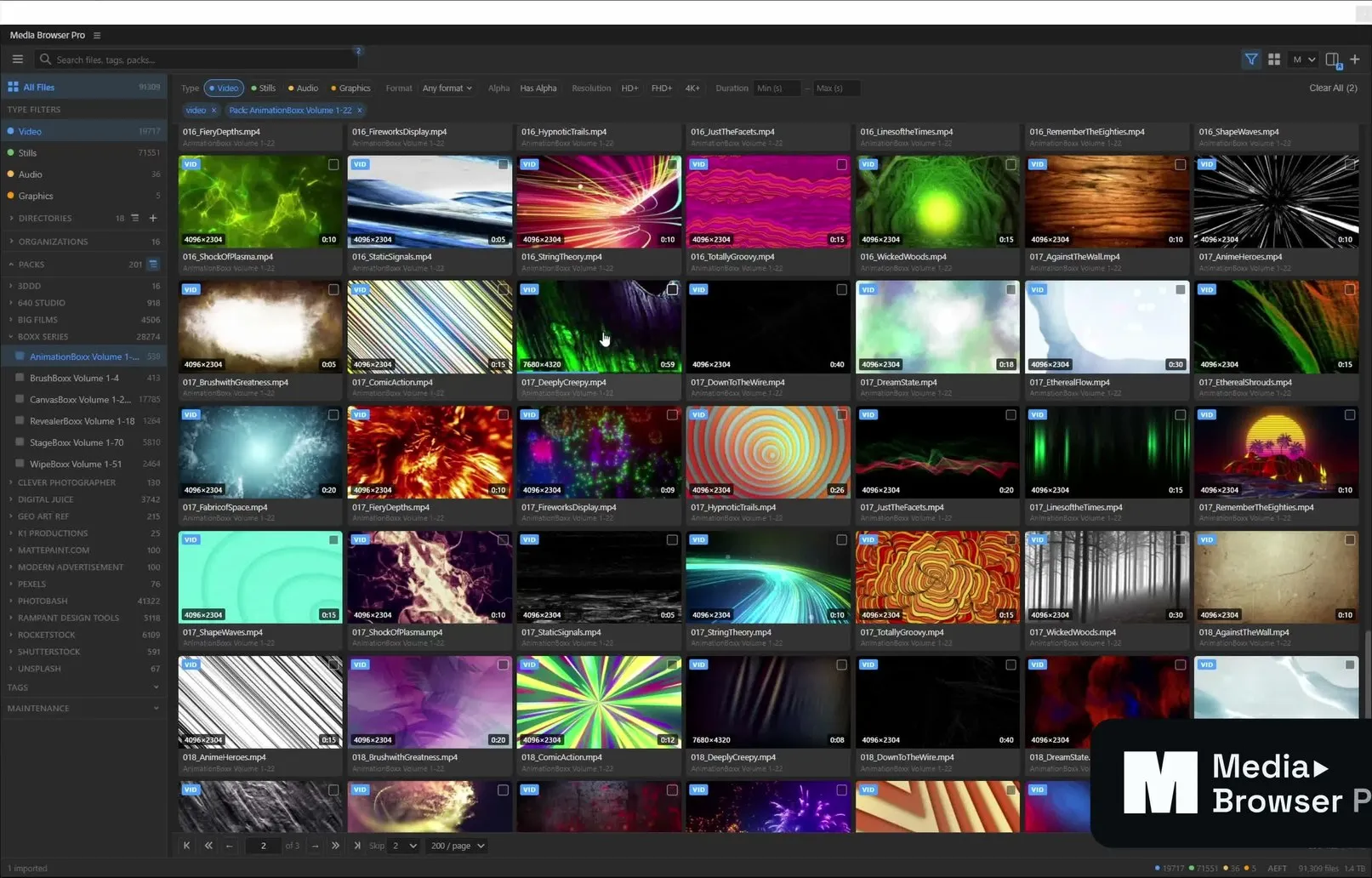
Click the filter icon in the toolbar to open the filter bar above the grid.

| Filter | Options |
|---|---|
| Type | Video · Stills · Audio · Graphics |
| Format | Any format, or a specific container/format |
| Alpha | Has Alpha — only files with transparency |
| Resolution | HD+ · FHD+ · 4K+ |
| Duration | Min and max, in seconds |
Active filters appear as chips under the bar (for example video and Pack: AnimationBoxx Volume 1-22). Click a chip’s × to remove it, or Clear All to reset.
Type filters and the sidebar
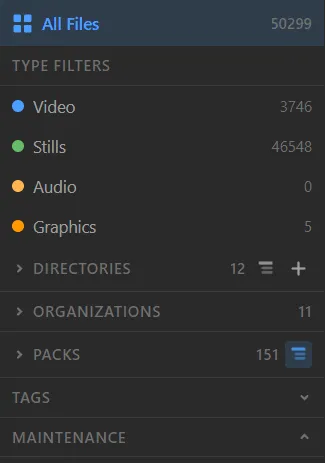
Clicking Video, Stills, Audio or Graphics in the sidebar narrows the grid to that type. Selecting a directory, organization, pack or tag narrows it further. All of these combine with the search text.
Sorting
Open Preferences → Sorting to control the order of the grid.
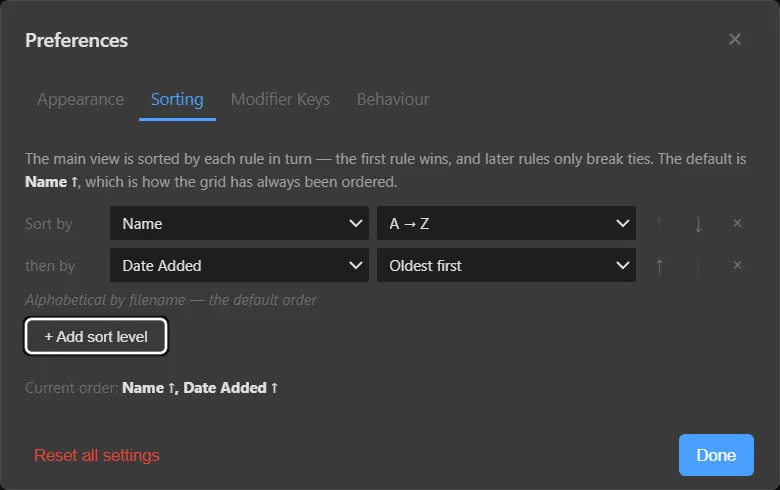
The grid is sorted by each rule in turn — the first rule wins, and later rules only break ties. The default is Name ↑ (alphabetical by file name).
- + Add sort level adds another rule.
- The ↑ / ↓ arrows reorder rules; × removes one.
- Current order shows the effective sort, for example Name ↑, Date Added ↑.
In the list view you can also click a column header to sort by it.
Something unclear or missing? Tell the sensei and the page will be fixed.