

目 Finding media
Details panel
Everything Media Browser Pro knows about a file — and batch actions for a selection.
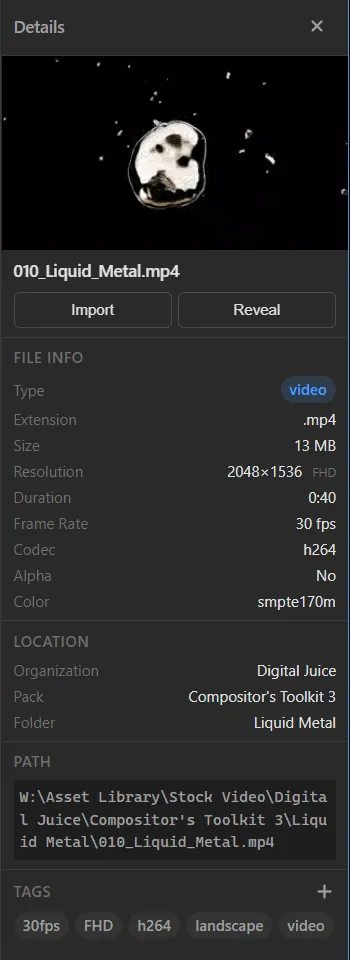
Toggle the Details panel with the panel button in the toolbar. It follows your selection.
Preview
A larger preview of the file, its name, and two buttons: Import sends just this file to the host; Reveal shows it in Explorer.
File info
Type, extension, size, resolution (with its class — HD, FHD, 4K…), duration, frame rate, codec, alpha and colour space.
Location
The organization, pack and folder the file belongs to.
Path
The full path on disk, in a monospace block so it is easy to read and select.
Tags
Every tag on the file. + adds one.
Several files selected
When more than one file is selected the panel switches to batch mode:
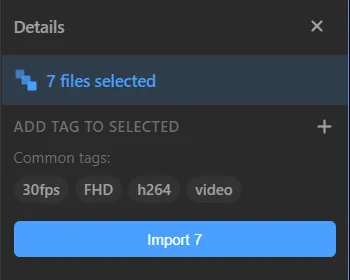
- n files selected at the top.
- Add tag to selected — tags every selected file at once.
- Common tags — the tags all selected files share.
- Import n — imports the whole selection, honouring your modifier keys.
Something unclear or missing? Tell the sensei and the page will be fixed.