

設 Preferences
Preferences
Appearance, Sorting, Modifier Keys and Behaviour — every option explained.
Open Maintenance → Preferences… in the sidebar. Preferences has four tabs; changes apply immediately. Reset all settings at the bottom restores the defaults.
Appearance
Themes change colour only — layout and density are identical.
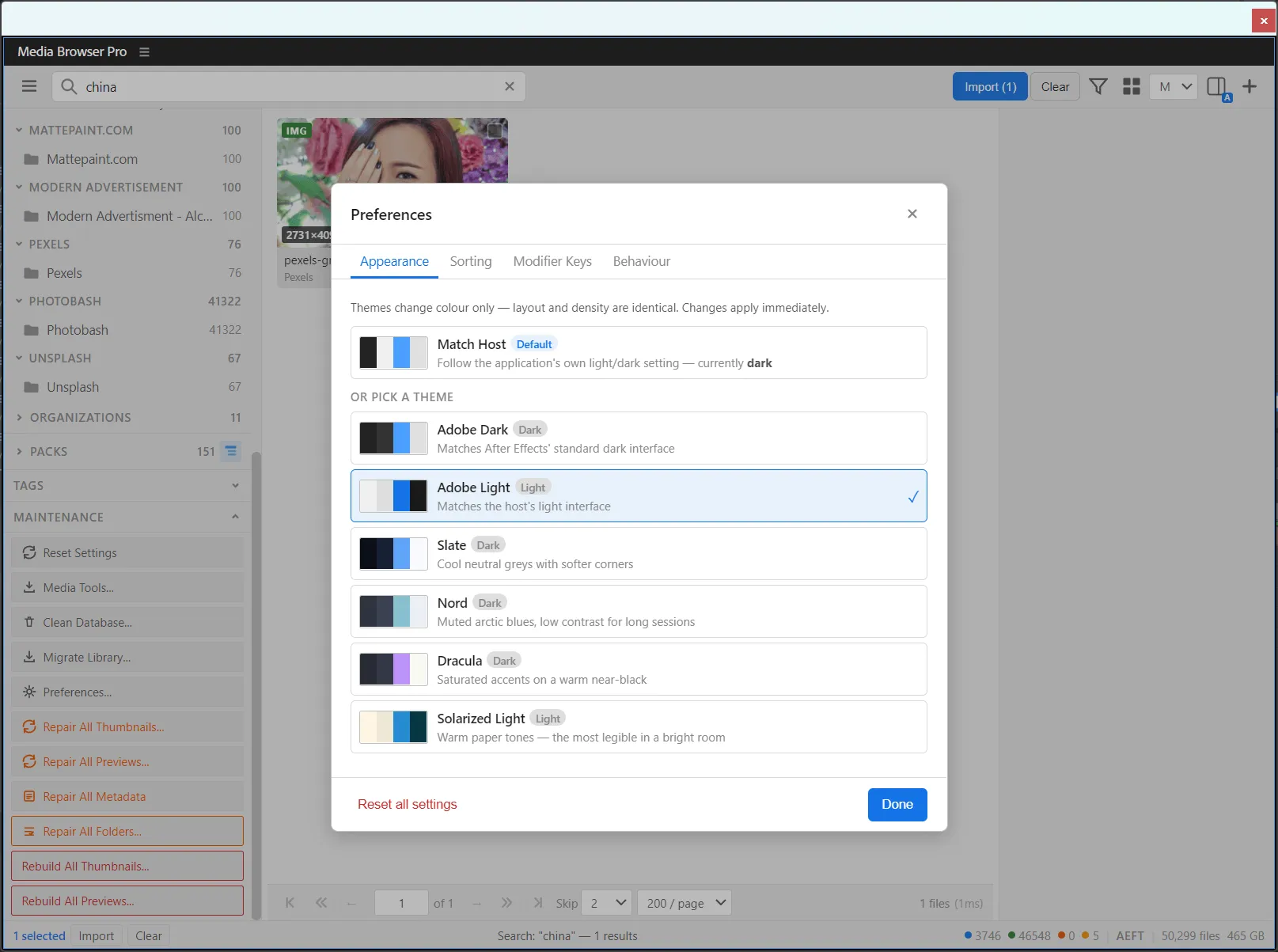
| Theme | Mode | Character |
|---|---|---|
| Match Host (default) | follows the host | Uses the application’s own light/dark setting |
| Adobe Dark | Dark | Matches After Effects’ standard dark interface |
| Adobe Light | Light | Matches the host’s light interface |
| Slate | Dark | Cool neutral greys with softer corners |
| Nord | Dark | Muted arctic blues, low contrast for long sessions |
| Dracula | Dark | Saturated accents on a warm near-black |
| Solarized Light | Light | Warm paper tones — the most legible in a bright room |
Sorting
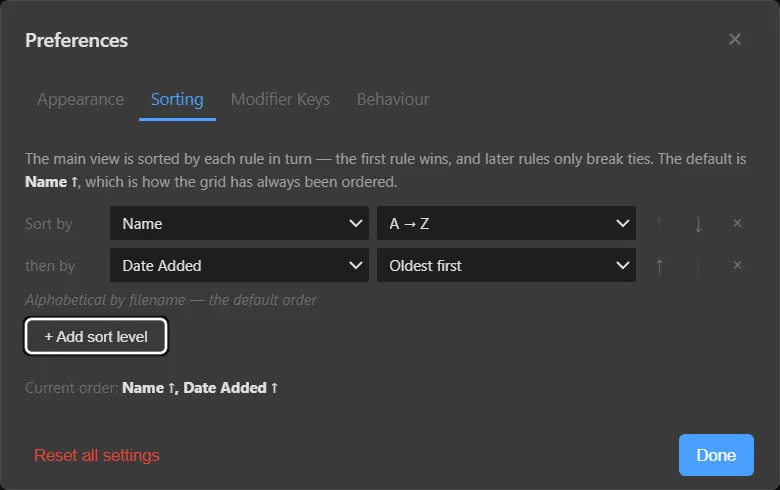
The grid is sorted by each rule in turn: the first rule wins, later rules only break ties. Add levels with + Add sort level, reorder them with the arrows, remove them with ×. The default is Name ↑. See Search & filter → Sorting.
Modifier keys
Choose what Ctrl, Shift and Alt do when importing. See Modifier keys.
Behaviour
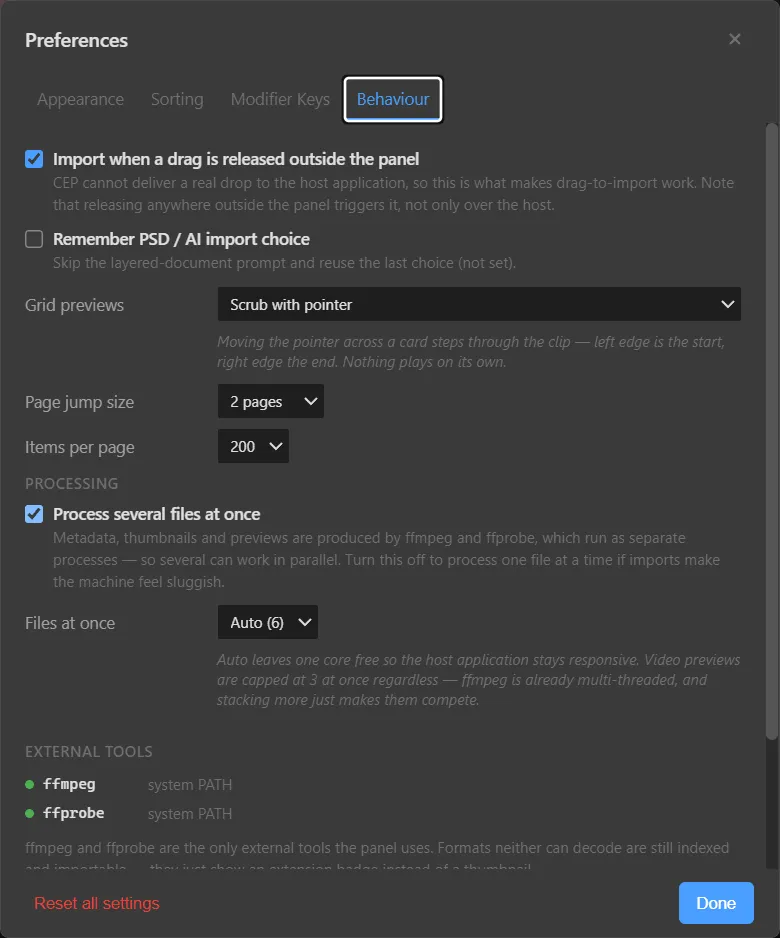
| Option | Default | What it does |
|---|---|---|
| Import when a drag is released outside the panel | On | Makes drag-to-import work. Releasing anywhere outside the panel triggers it, not only over the host. |
| Remember PSD / AI import choice | Off | Skips the layered-document prompt and reuses your last choice. |
| Grid previews | Scrub with pointer | Moving the pointer across a card steps through the clip — left edge is the start, right edge the end. Nothing plays on its own. |
| Page jump size | 2 pages | How far the ‹‹ and ›› buttons jump. |
| Items per page | 200 | Cards per page. |
| Process several files at once | On | Metadata, thumbnails and previews are produced by ffmpeg and ffprobe as separate processes, so several can run in parallel. Turn off to process one file at a time if imports make the machine feel sluggish. |
| Files at once | Auto | Auto leaves one core free so the host stays responsive. Video previews are capped at 3 at once regardless — ffmpeg is already multi-threaded. |
External tools at the bottom shows where ffmpeg and ffprobe were found (for example system PATH). See Installation → ffmpeg.
Something unclear or missing? Tell the sensei and the page will be fixed.