Skip to content
Media Browser Pro

Your whole stock library, one panel away.

Index every clip, still and graphic you own. Search in milliseconds, scrub before you import, tag, and drop it straight into the comp, sequence or document.

  • Ae After Effects AEFT
  • Pr Premiere Pro PPRO
  • Ps Photoshop PHXS
  • Ai Illustrator ILST
Files in the demo library
91,309
Library size
1.4 TB
Search · 50k-file library
28 ms
Host applications
4

見 The film

Two minutes, every host.

From an empty panel to precomps at the playhead — streamed in up to 4K. Jump to any chapter.

Media Browser Pro — demo up to 2160p · sound on

技 Anatomy of the panel

Every part, explained.

Hover a red marker — or tap one on mobile — to learn what that part of the panel does.

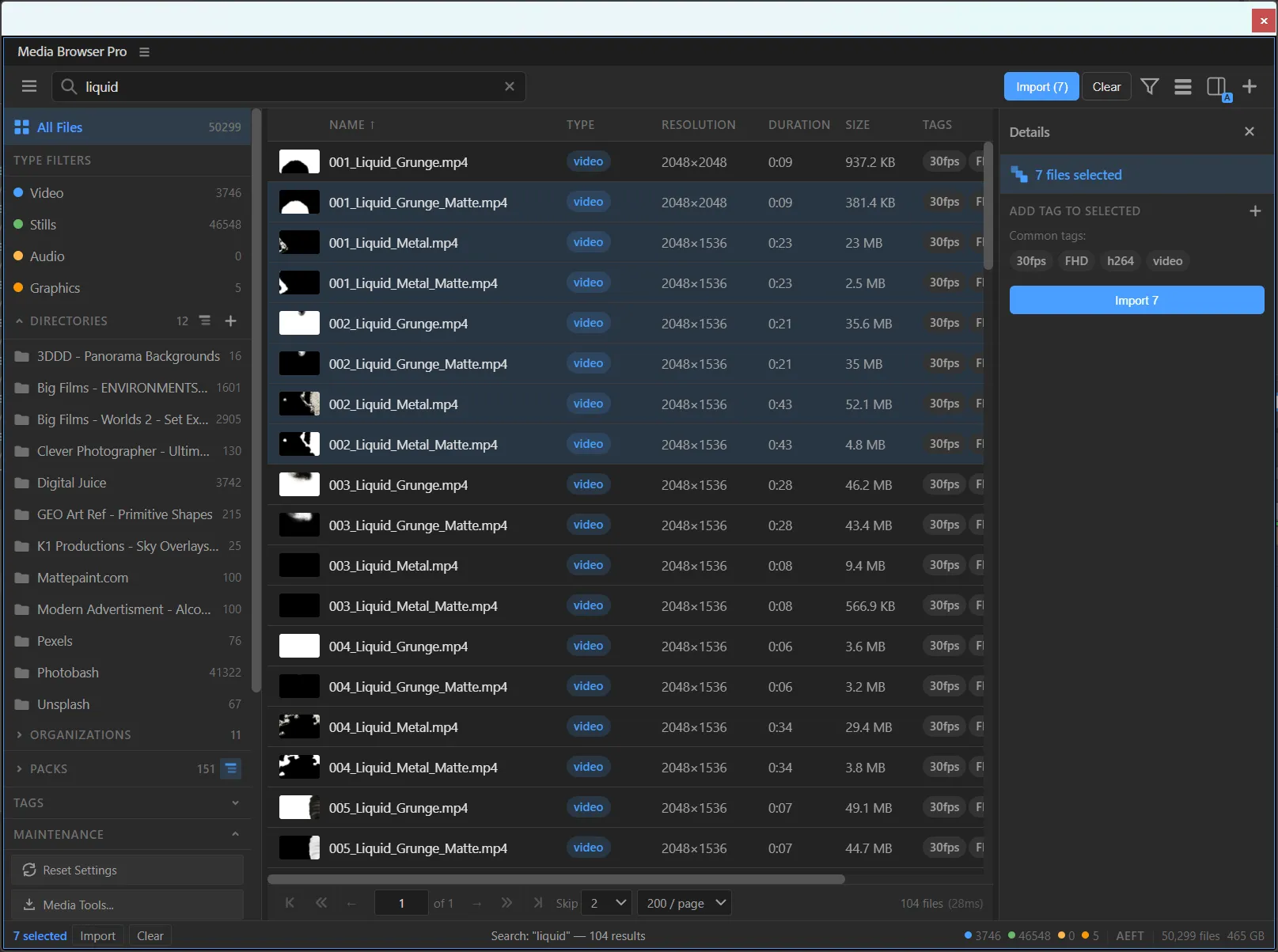
Media Browser Pro in After Effects: search results for 'liquid' in a grid with the Details panel open

整 01 · Build the library

Point it at your folders. Walk away.

Add every folder of stock you own — a dozen at once from the OS dialog, or paste a path. Media Browser Pro reads them in the background, several files at a time, while the host stays responsive.

  • Directories, organizations and packs — three levels of structure, built from your folders and vendors.
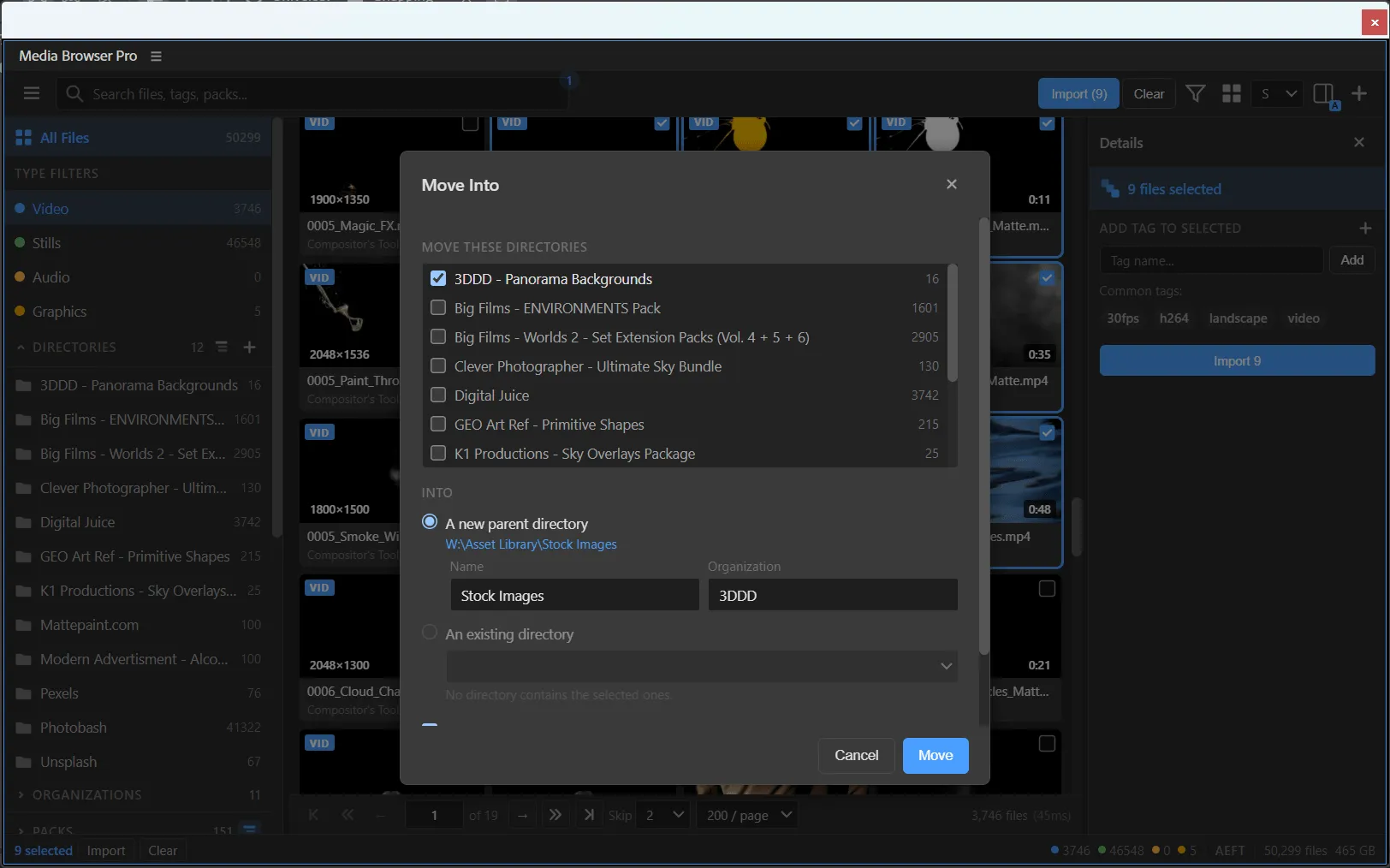
  • Right-click a directory to rename, move it into a parent, set its organization, tag it, or run maintenance on just that folder.
  • Thumbnails, audio waveforms and scrub previews are generated by ffmpeg — up to one fewer job than you have CPU cores.
Adding folders to the library indexing
Add Media Directories dialog
◆Add Media Directories
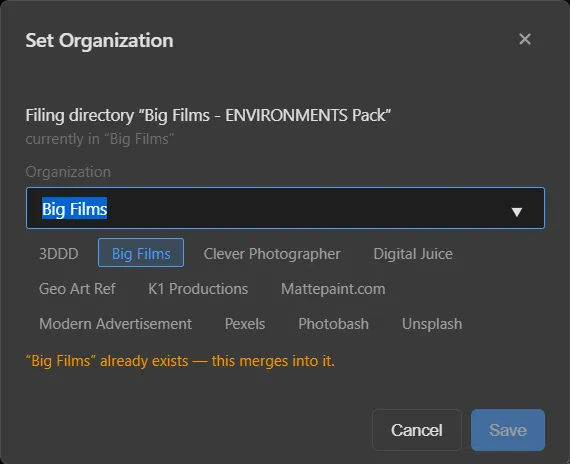
Set Organization dialog
◆Set Organization — merges into an existing one

見 03 · See before you import

Read a clip in one sweep.

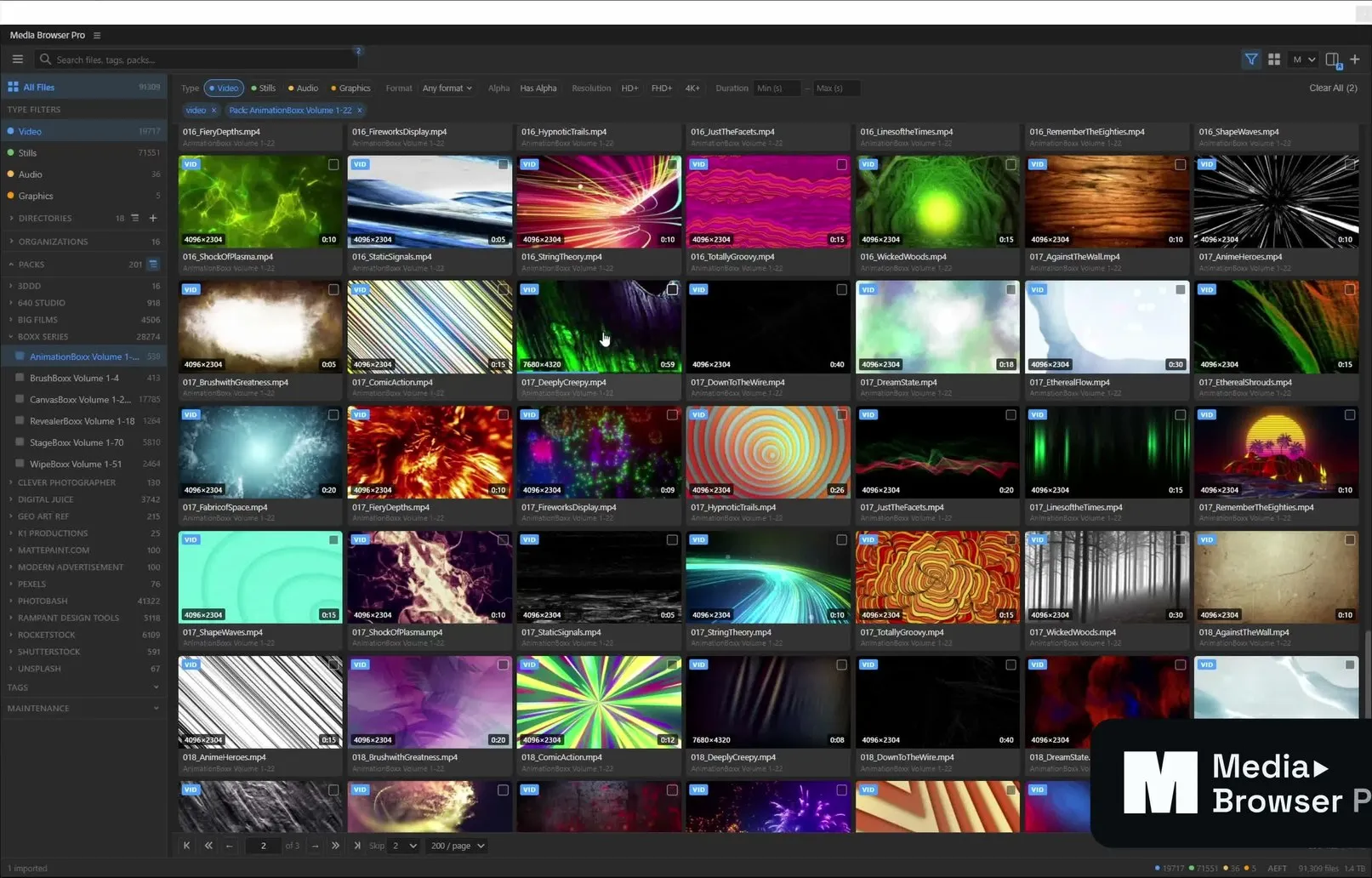
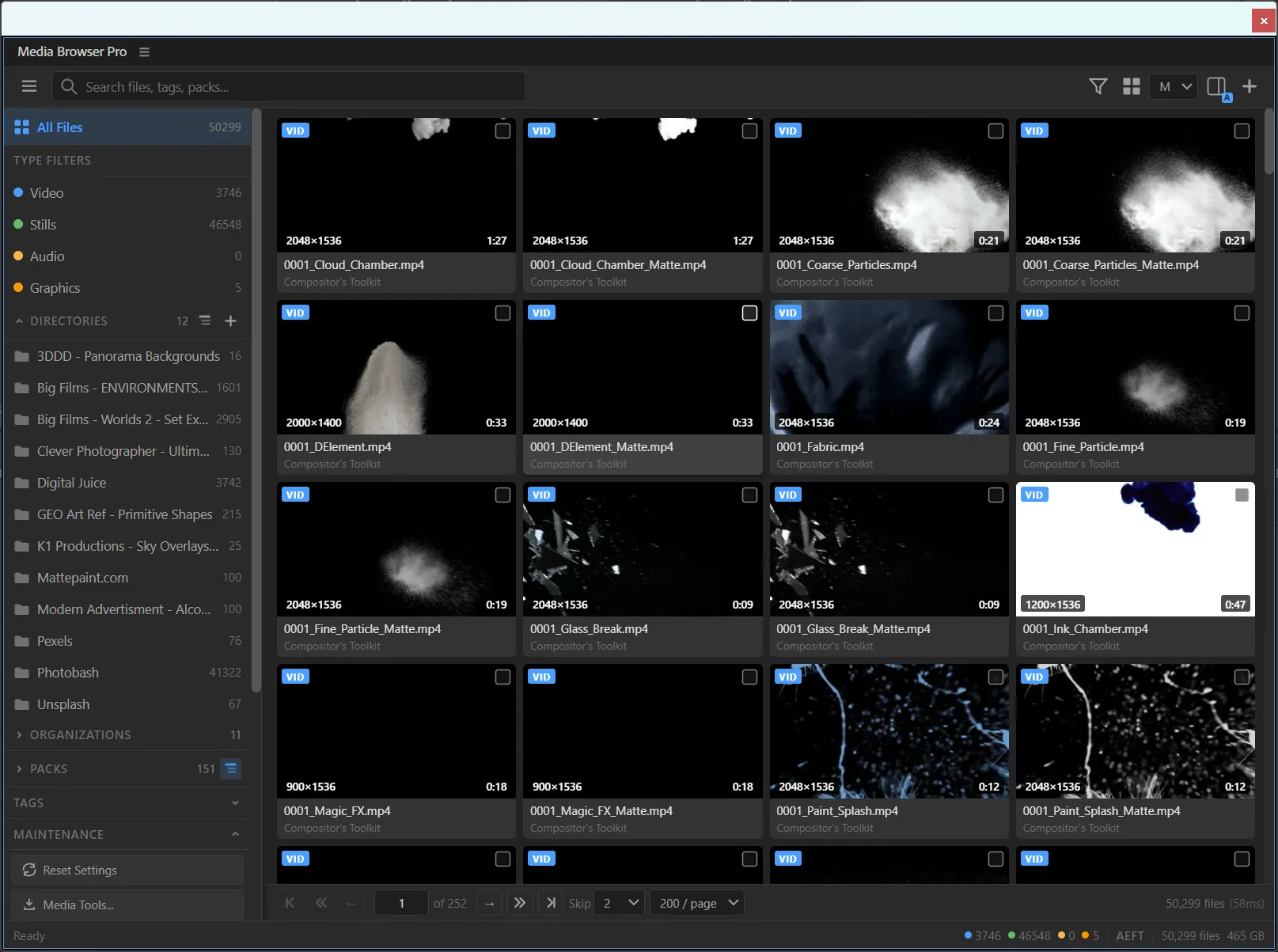
Every video card is a scrubber: the left edge is the first frame, the right edge the last. Drag the divider below to compare small and large cards — then switch to the list view when you want columns.

large cards
small cards
small cards large cards
Scrubbing and paging scrub
List view with name, type, resolution, duration, size and tag columns
◆List view — sortable columns, seven files selected, Import 7

目 04 · Know what you're holding

Every detail, before it touches your project.

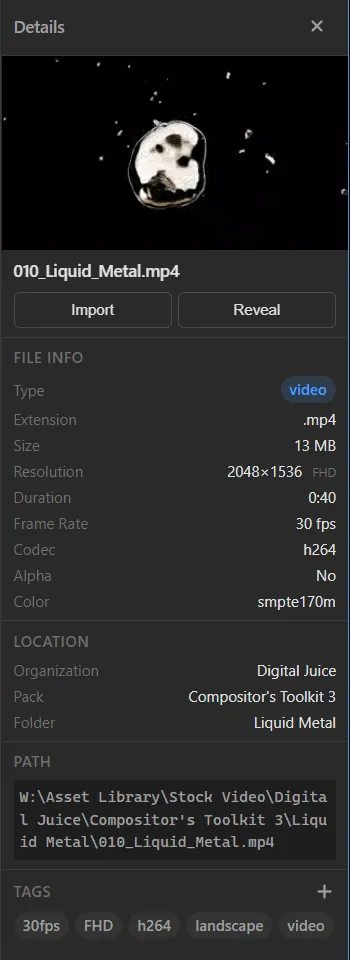
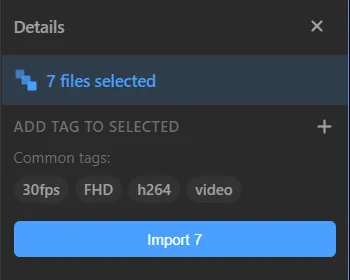
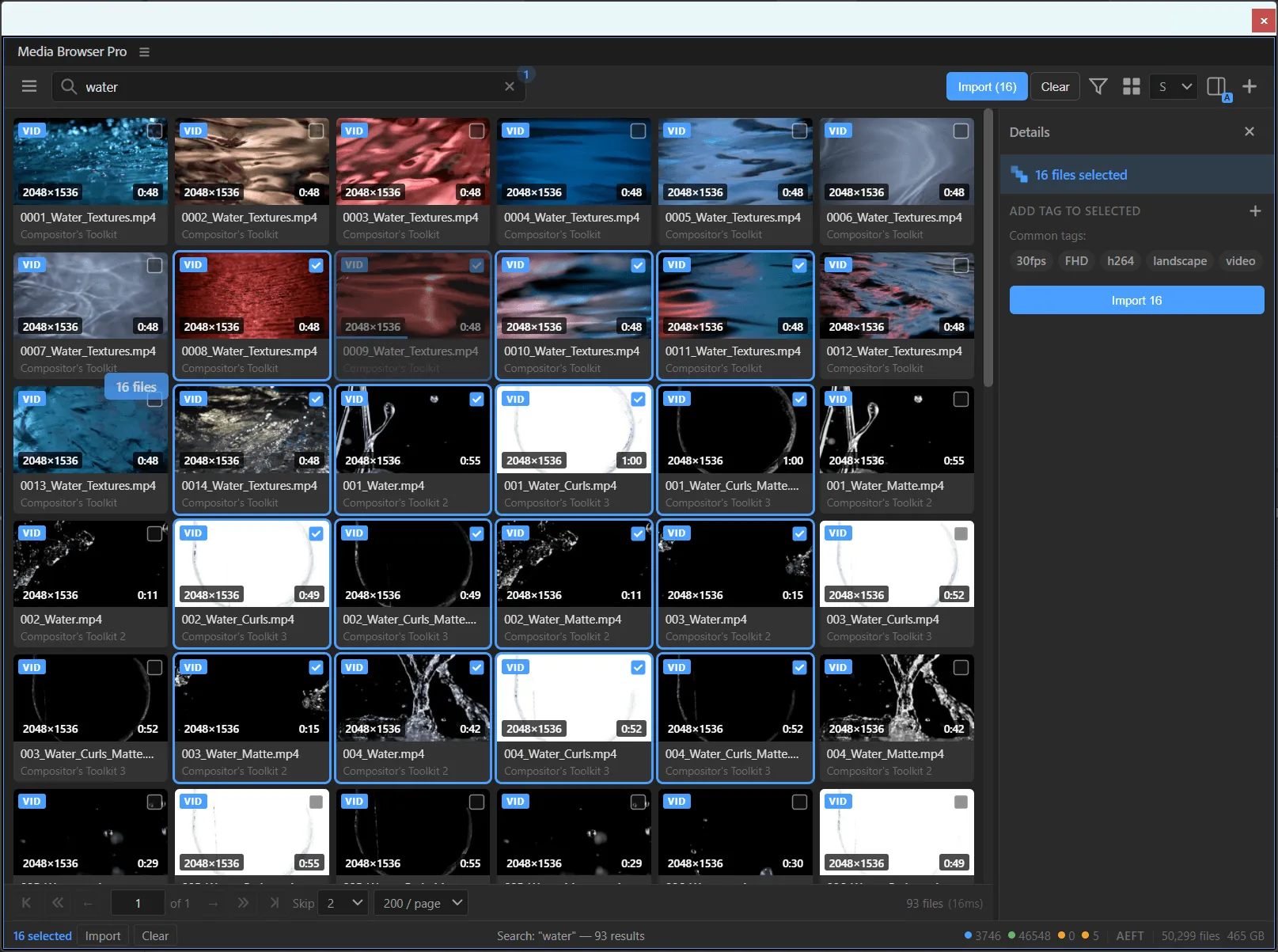
The Details panel shows everything about the selection. Select several files and it switches to batch mode: add a tag to all of them, see the tags they share, import them together.

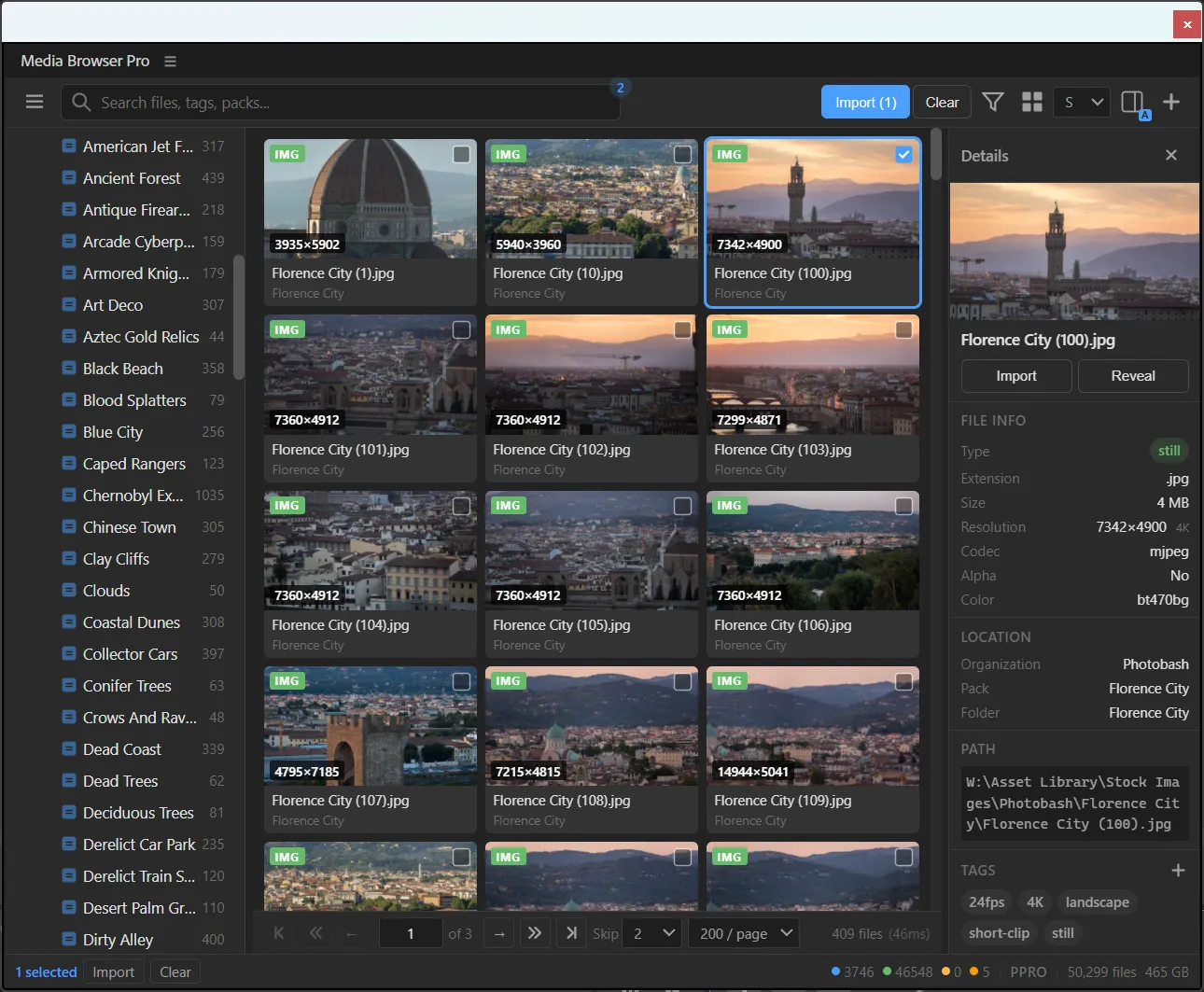
  • Type, extension, size, resolution class (HD, FHD, 4K…), duration, frame rate, codec, alpha, colour space.
  • Organization, pack and folder — plus the full path, ready to copy.
  • Reveal opens the file in Explorer; Import sends just this one.
Details panel for 010_Liquid_Metal.mp4
◆Single file
Details panel with seven files selected
◆Batch: 7 files selected

Path

W:\Asset Library\Stock Video\Digital Juice\Compositor's Toolkit 3\Liquid Metal\010_Liquid_Metal.mp4

取 05 · Import, your way

One click. Exactly where you want it.

Plain import, precomps, straight into the comp, at the playhead — from the import menu, the Import button with modifier keys, or by dragging out of the panel.

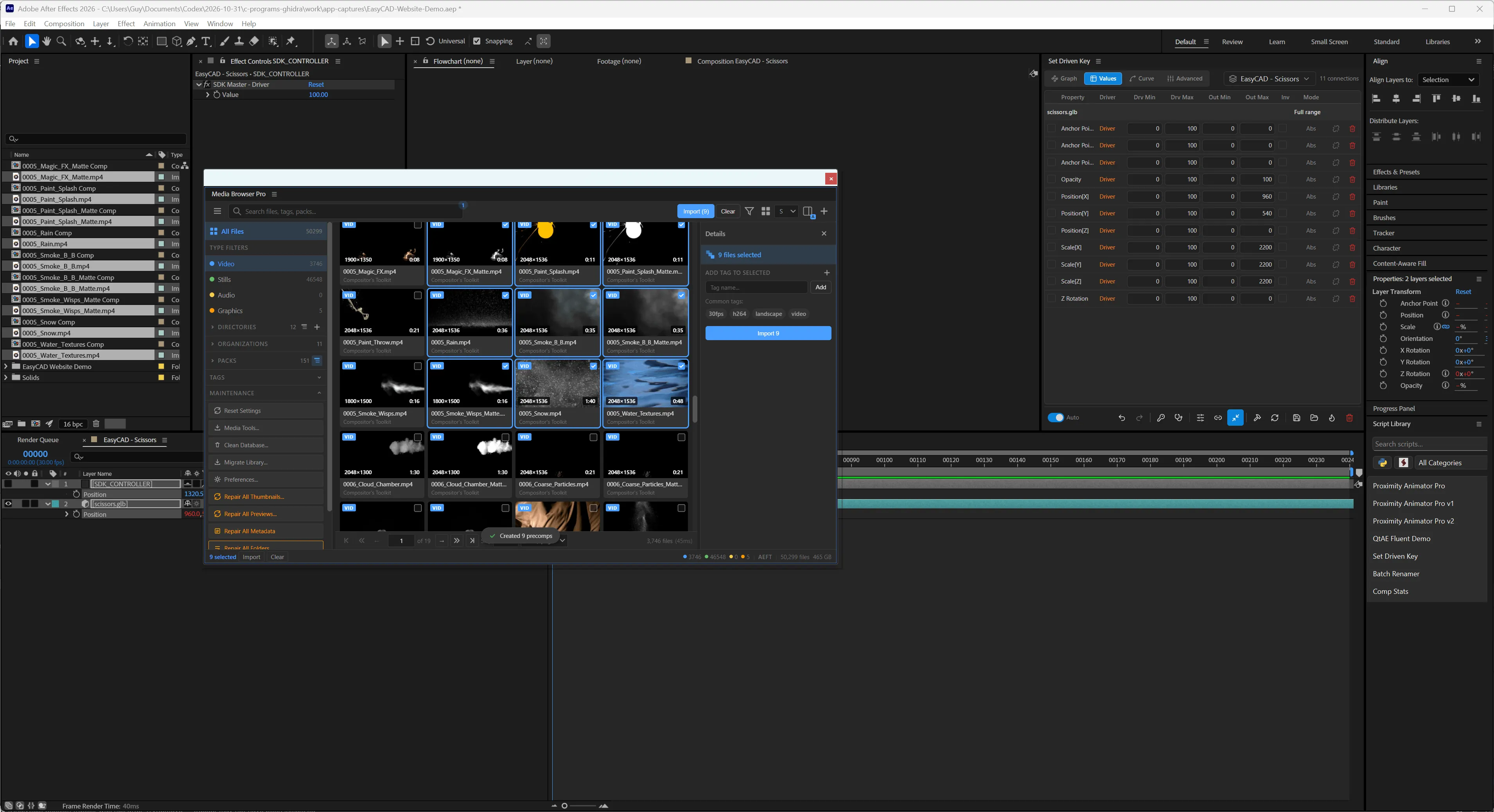
After Effects with nine precomps created from Media Browser Pro
  • Import, import to precomps, into the active comp, or at the playhead.
  • Nine clips → nine precomps in one click (“Created 9 precomps”).
  • Drag files out of the panel to import them.
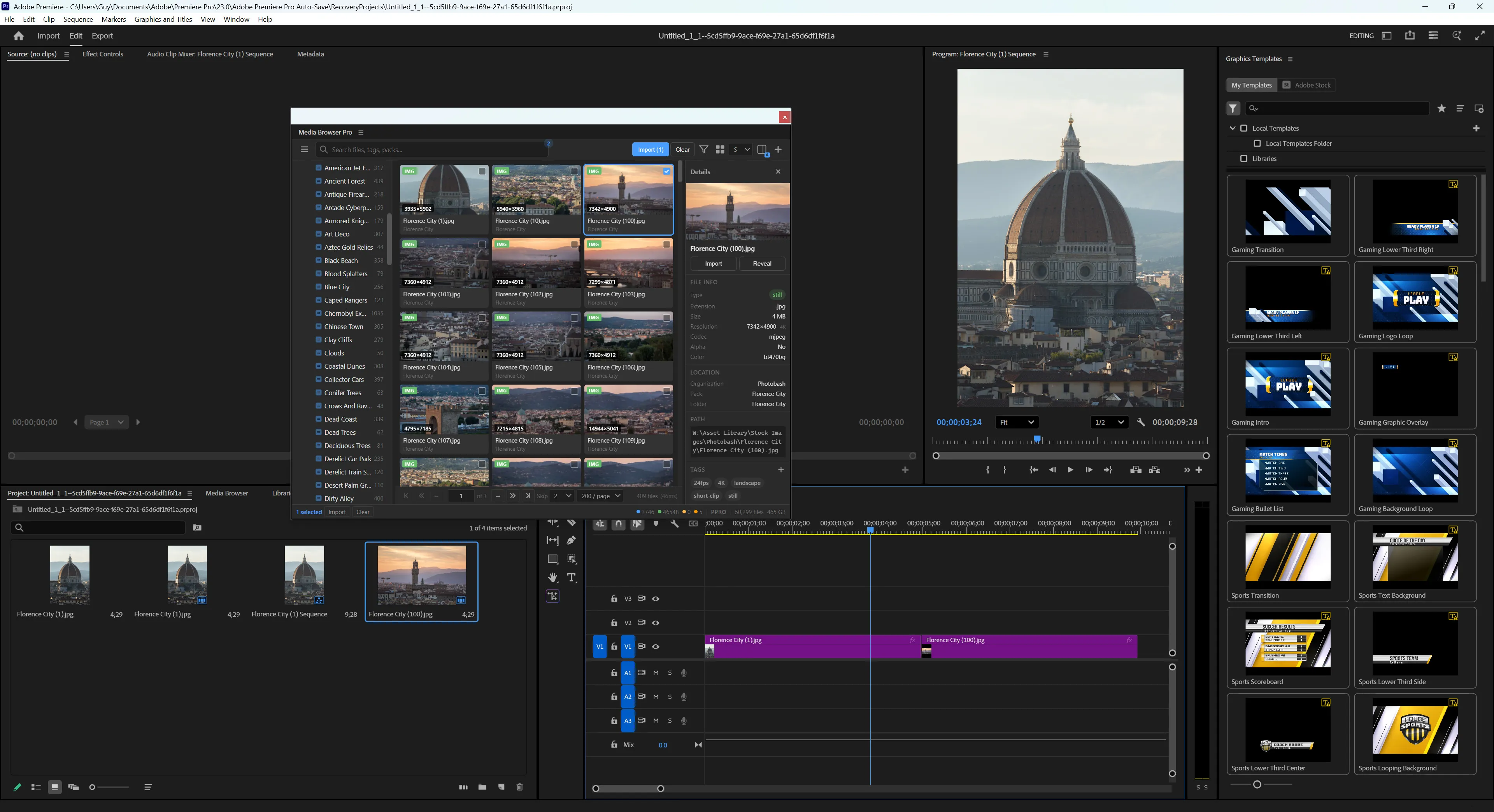
Premiere Pro with Media Browser Pro floating over the timeline
  • Import into the project or place into the active sequence.
  • Ctrl wraps in a sequence; Alt positions at the playhead.
  • Browse photo packs and drop stills straight onto the timeline.
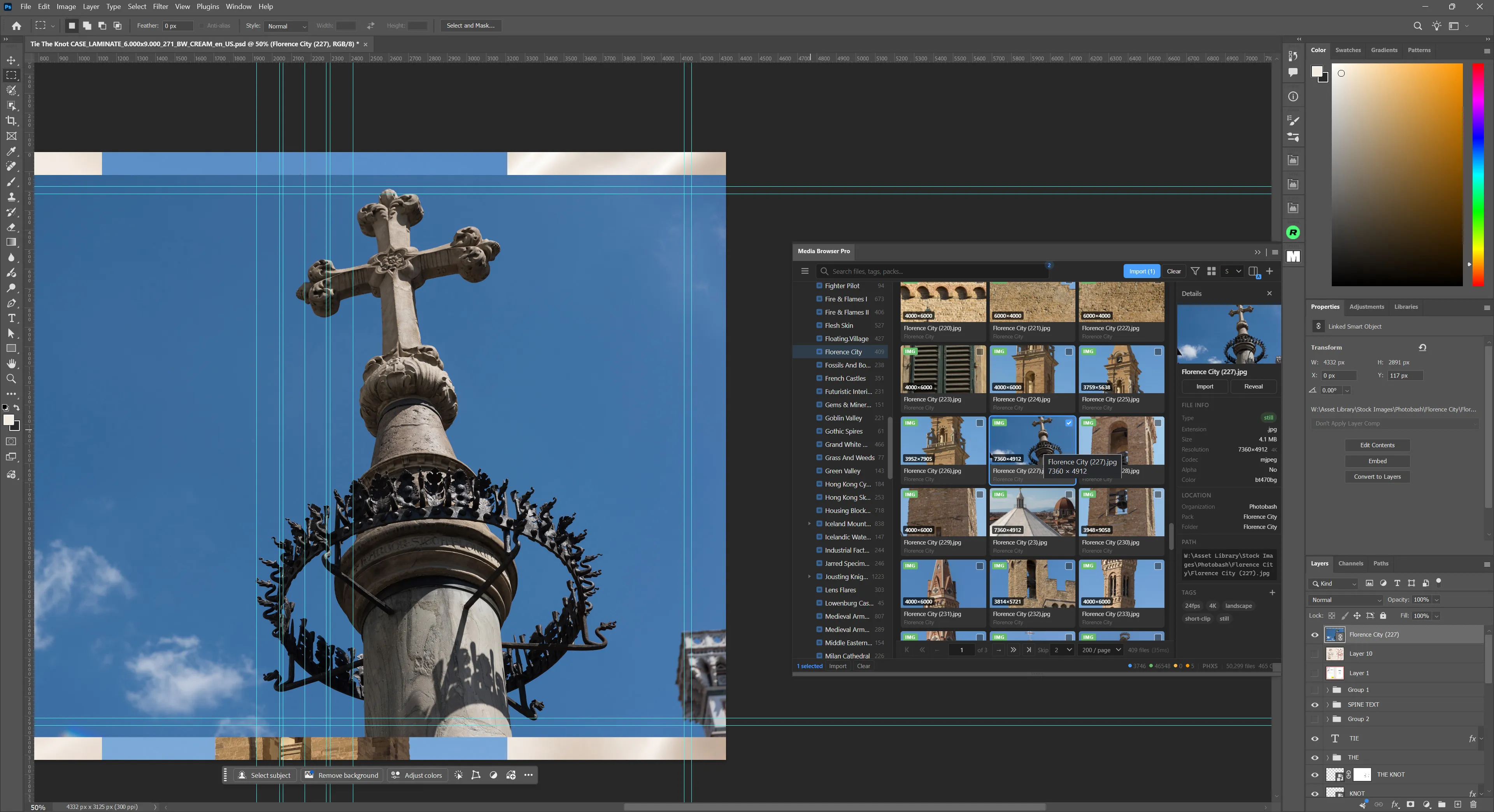
Photoshop with an image placed from Media Browser Pro as a linked smart object
  • Places files into the active document as linked smart objects.
  • Status bar shows PHXS — same library, tags and search as every other host.
  • Docks or floats like any Photoshop panel.
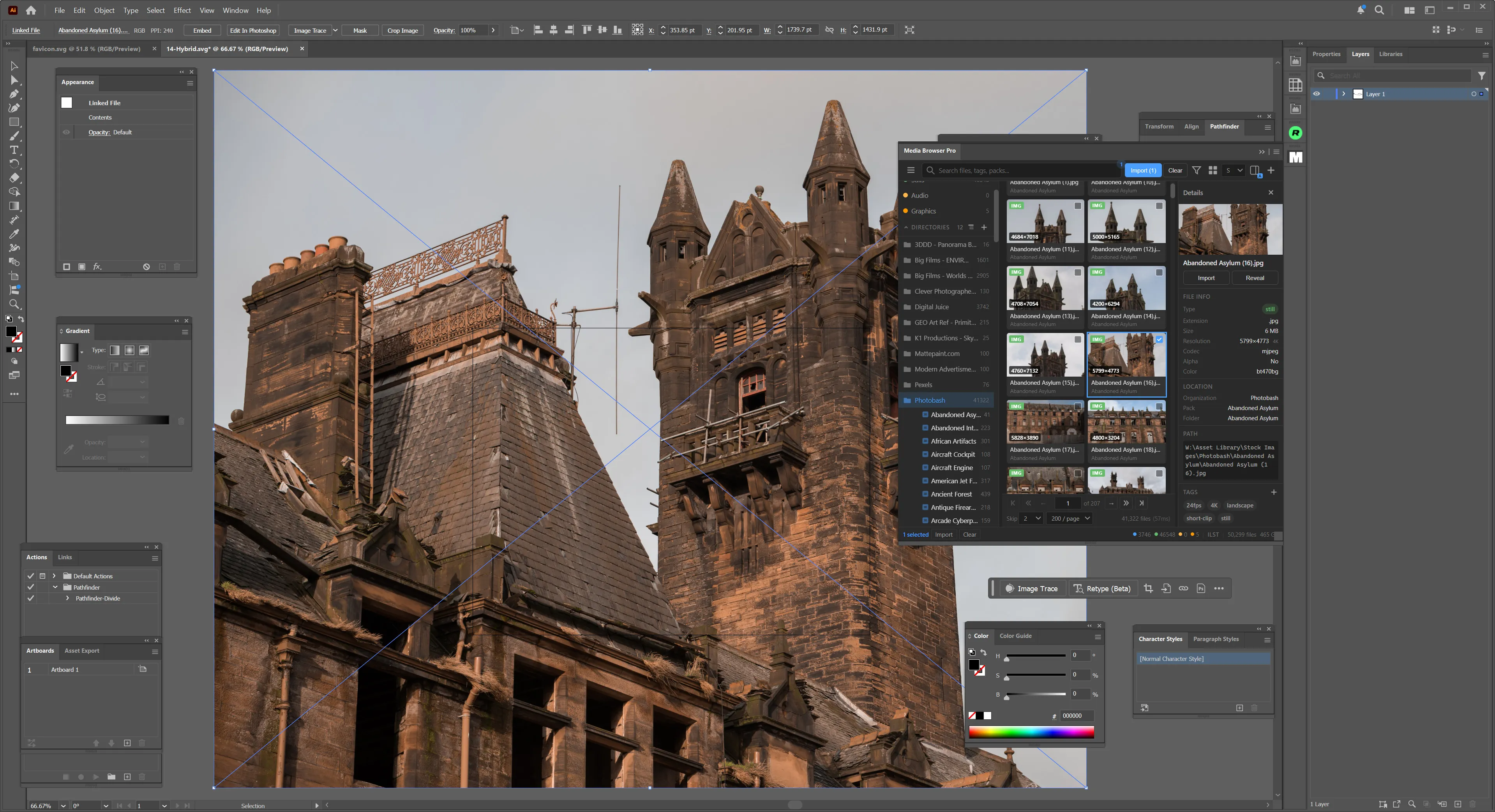
Illustrator with a photo placed from Media Browser Pro as a linked file
  • Places images into the active document as linked files.
  • Docks like any Illustrator panel.
  • Status bar shows ILST so you always know which host you are in.
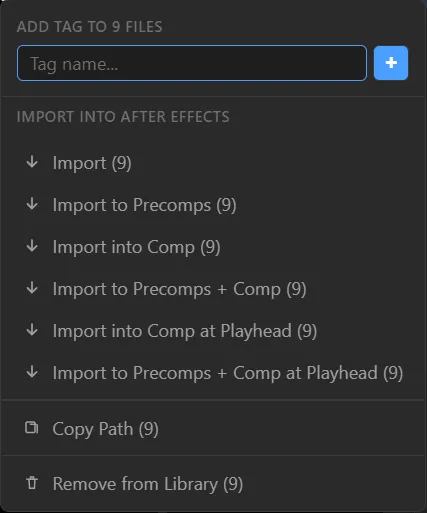
Import menu
◆The import menu: six modes, Copy Path and Remove from Library
Importing into After Effects AEFT

鍵 Try it — click the keys, or hold them on your keyboard

+

Result

Import

Adds the selected files to the project.

Click

Default mapping: Ctrl wraps in a container · Shift places into the active comp / sequence / document · Alt positions at the playhead / cursor. The same keys work when you drag files out of the panel, and every key can be remapped in Preferences → Modifier Keys. Result names follow the After Effects import menu; the explanation adapts to the host you pick.

色 06 · Make it yours

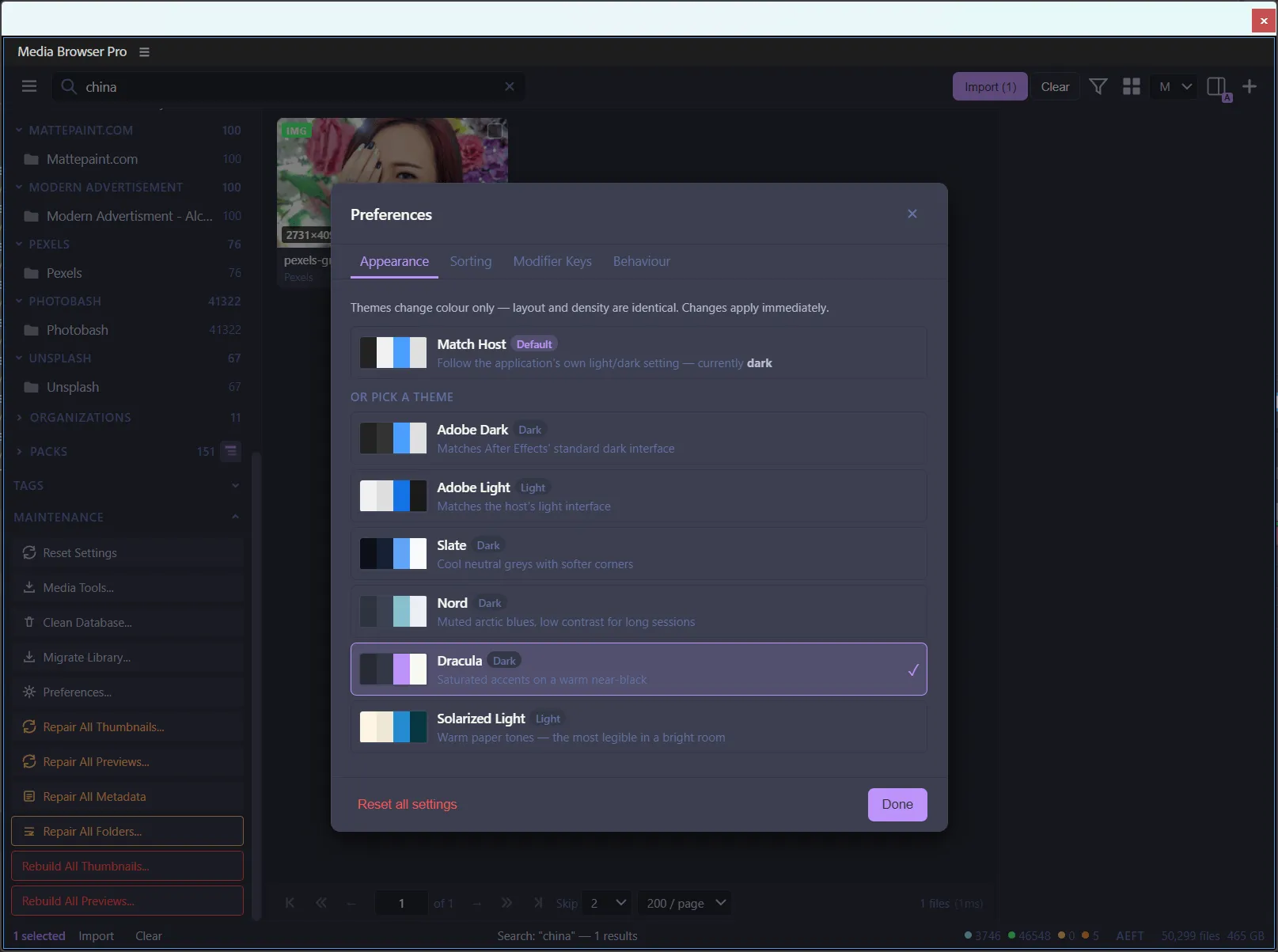
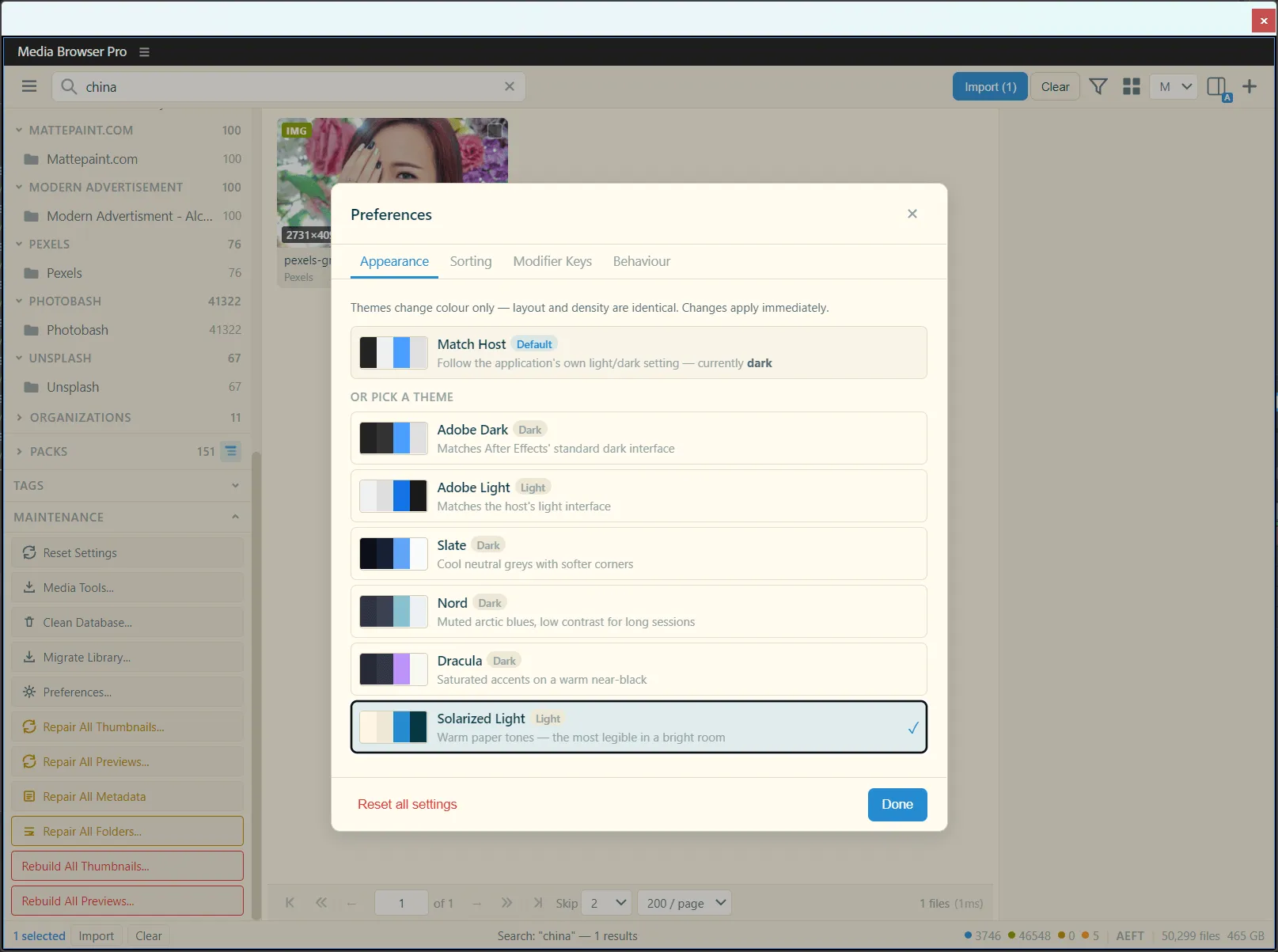
Six themes. Your rules.

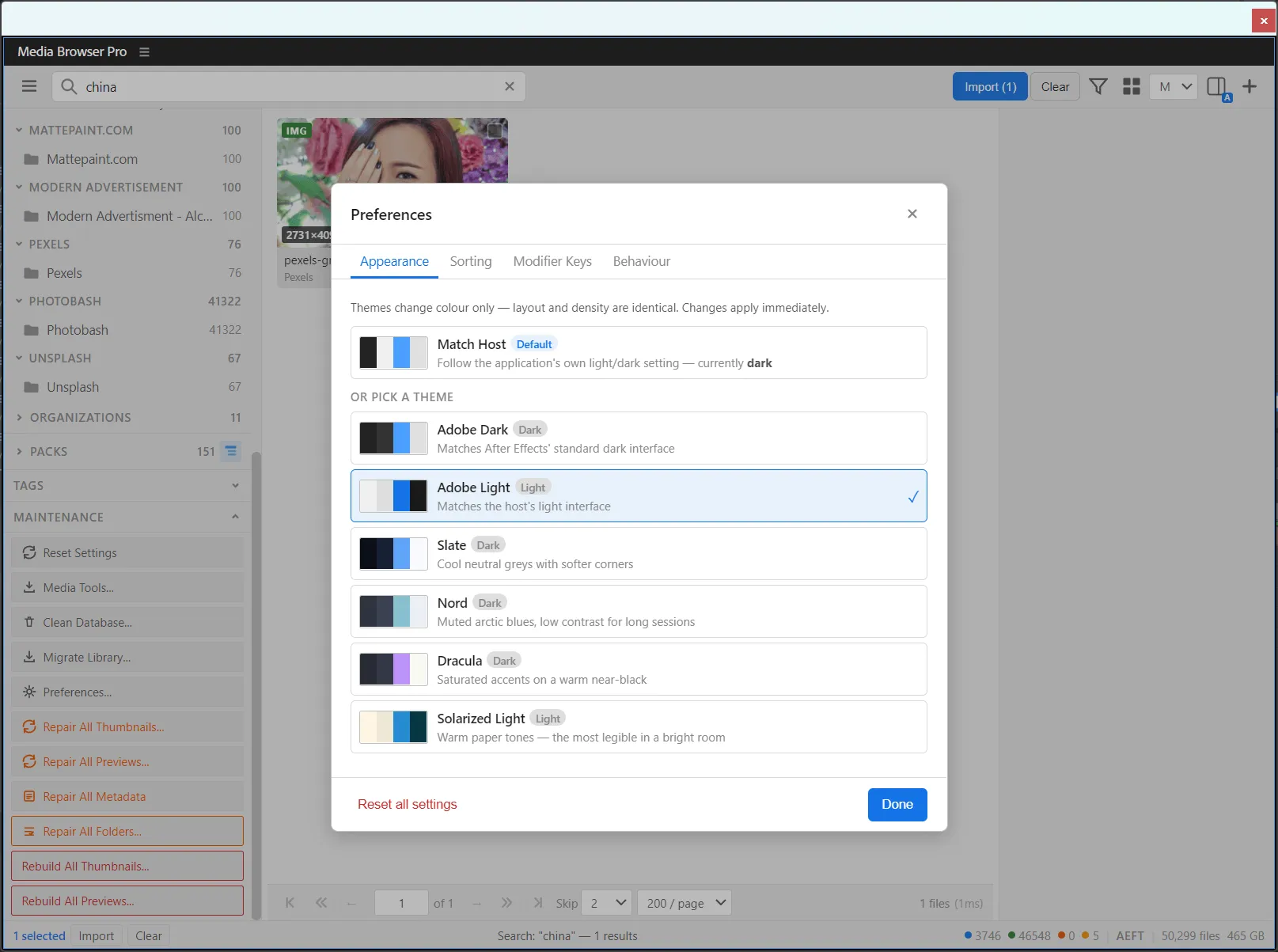
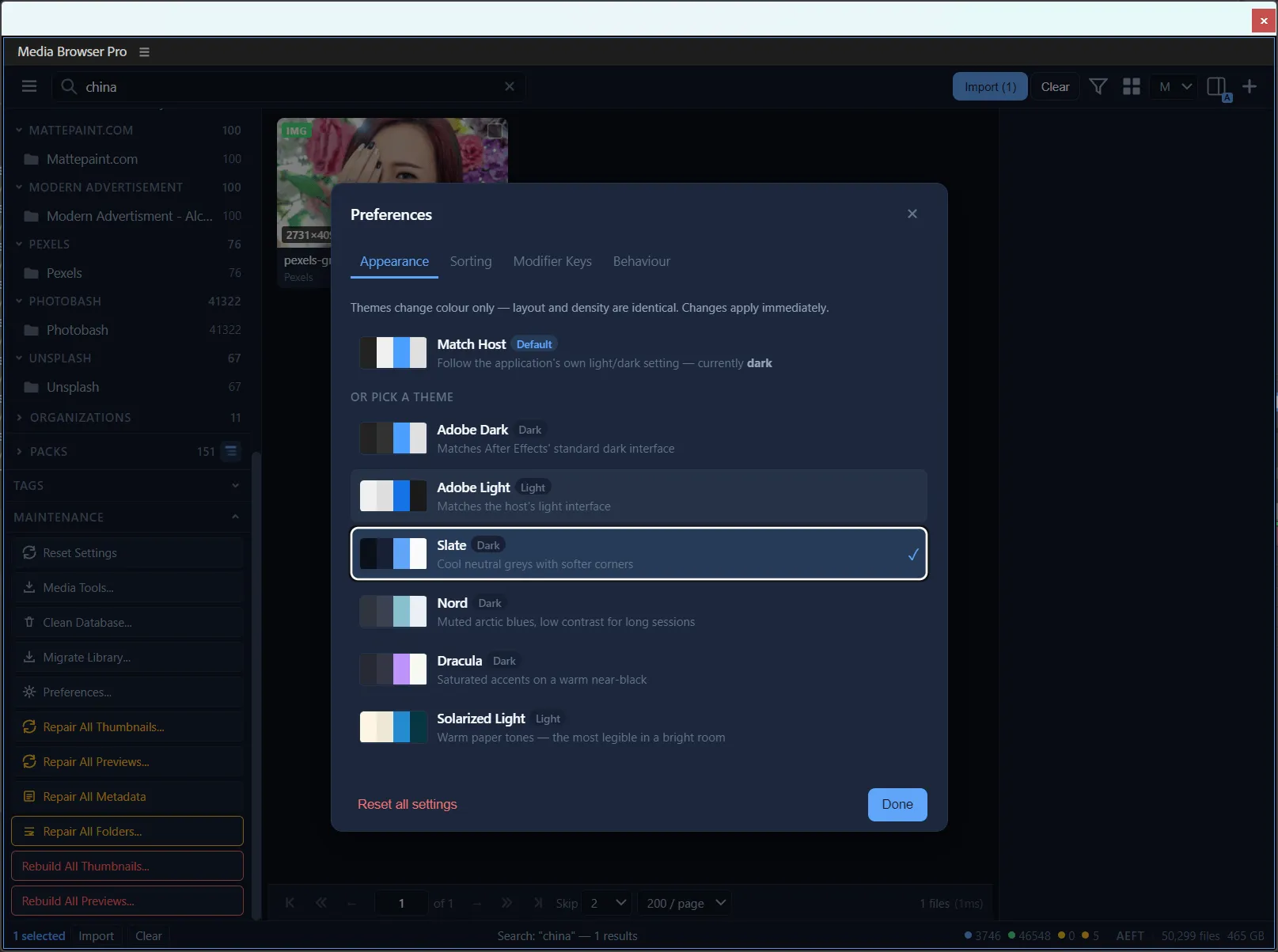
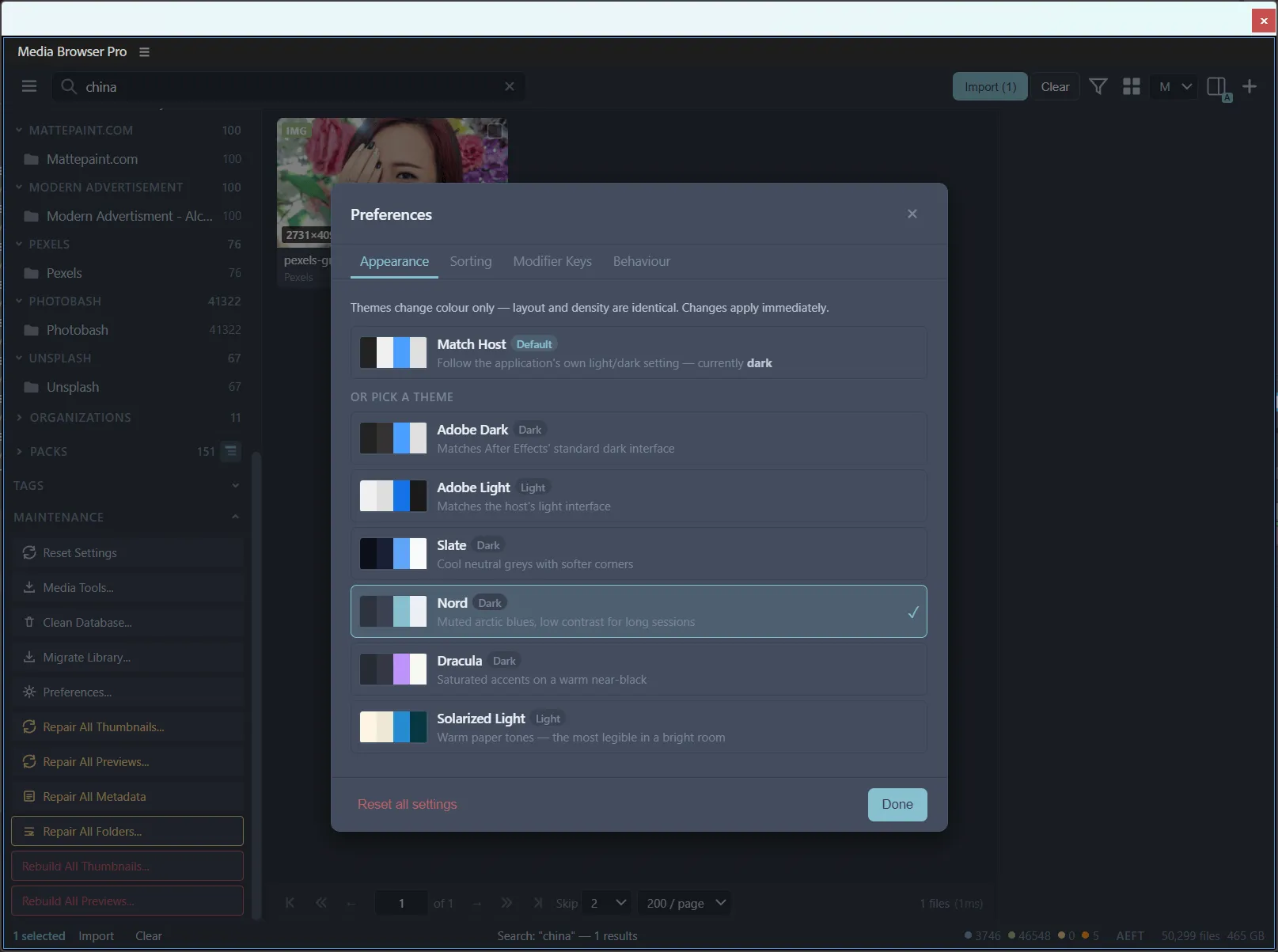
Themes change colour only — layout and density stay identical, and changes apply instantly. Hover a theme to see the real panel wearing it.

Or follow the host: Match Host (default)

Media Browser Pro with the Adobe Dark themeMedia Browser Pro with the Adobe Light themeMedia Browser Pro with the Slate themeMedia Browser Pro with the Nord themeMedia Browser Pro with the Dracula themeMedia Browser Pro with the Solarized Light theme
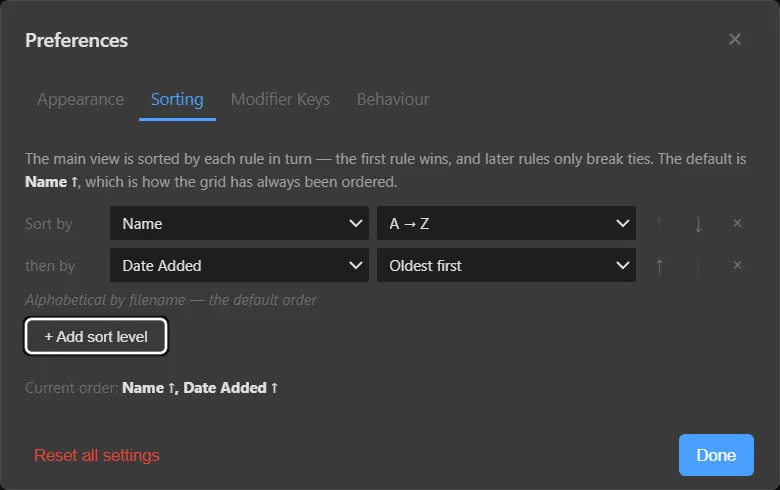
Sorting preferences with Name then Date Added
◆Multi-level sorting — the first rule wins, later rules break ties
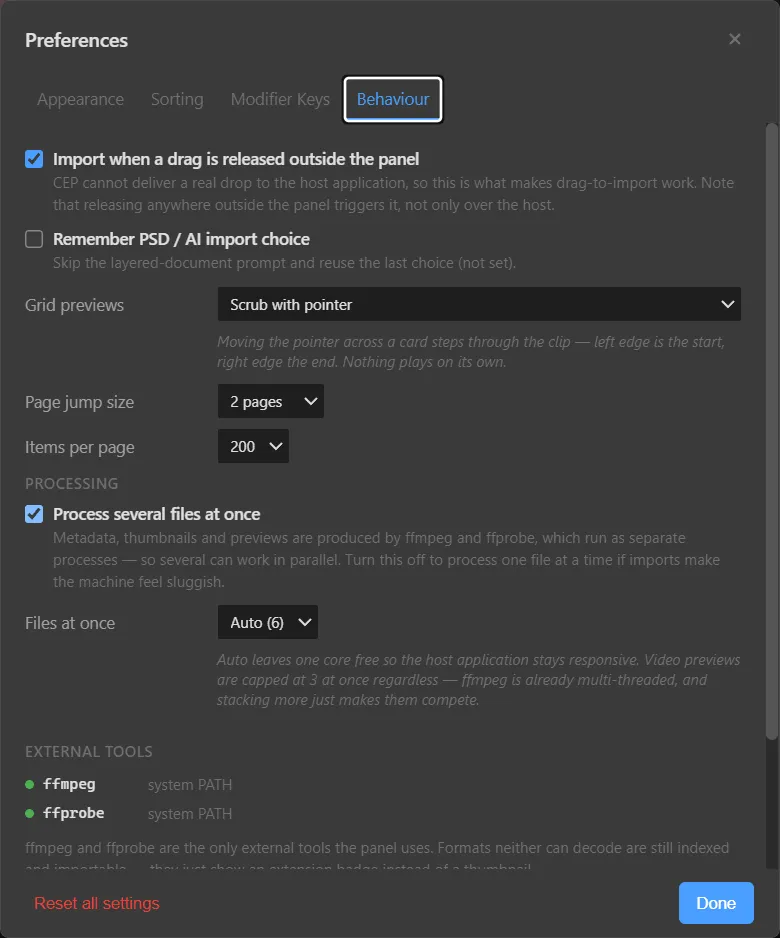
Behaviour preferences
◆Behaviour — drag-to-import, PSD/AI prompt, grid previews, paging, parallel processing

修 07 · Keep it healthy

A library this big needs a caretaker.

Orange buttons repair only what is missing. Red buttons rebuild from scratch. Everything else keeps the index lean and portable.

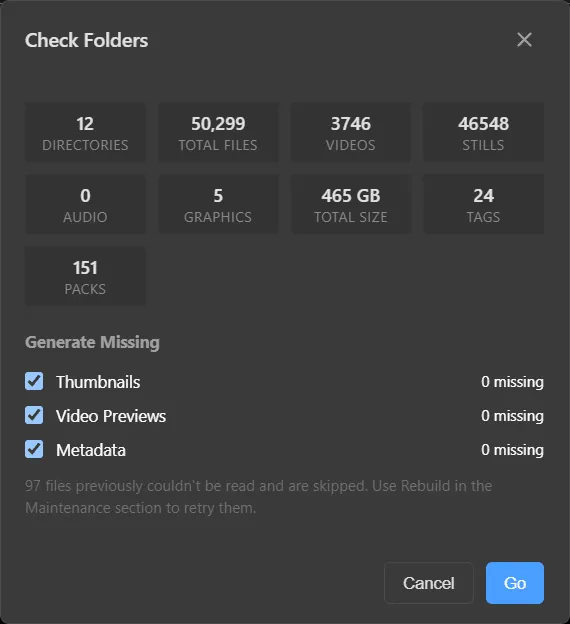
Check Folders

Check Folders

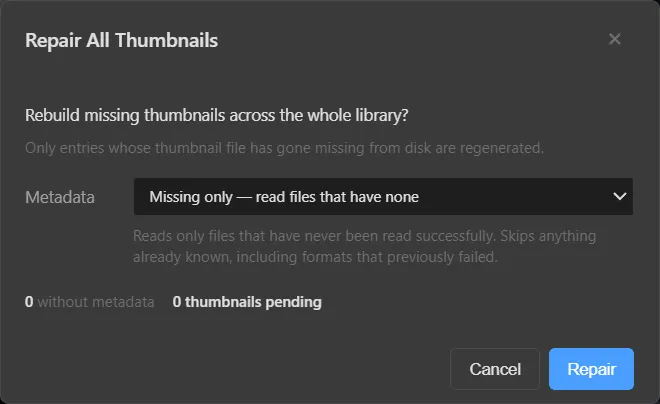
Counts everything and generates whatever is missing — thumbnails, previews, metadata — in one pass.

Repair thumbnails & previews

Repair thumbnails & previews

Only regenerates what has gone missing. Skips everything already known, including files that previously failed.
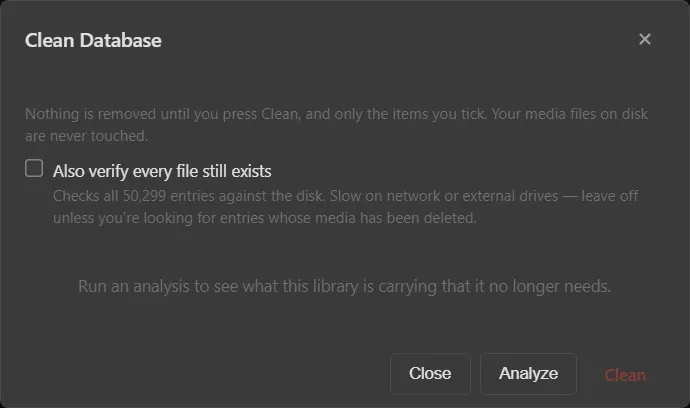
Clean Database

Clean Database

Analyses what the library carries that it no longer needs. Nothing is removed until you tick it — and media on disk is never touched.
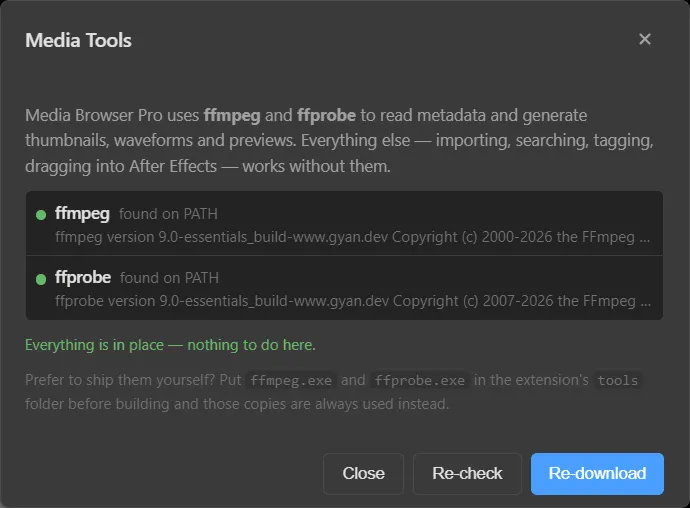
Media Tools

Media Tools

Finds ffmpeg and ffprobe on PATH, re-checks or re-downloads them, or uses copies bundled in the extension’s tools folder.
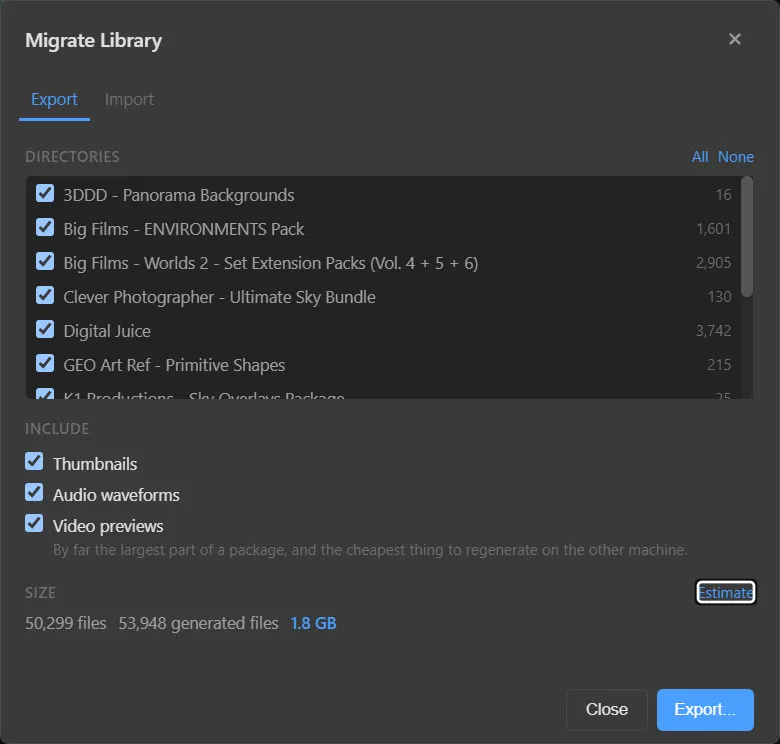
Migrate Library

Migrate Library

Export directories with thumbnails, waveforms and previews; estimate the package size; import on the new machine.
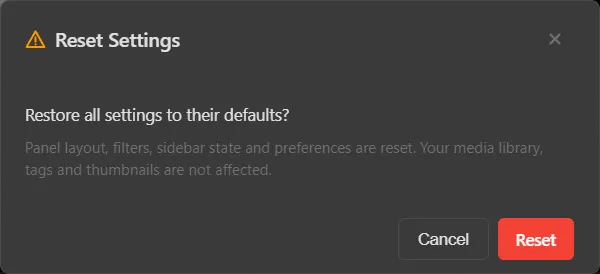
Reset Settings

Reset Settings

Restores layout, filters, sidebar state and preferences. Your library, tags and thumbnails are not affected.

巻物 The full scroll

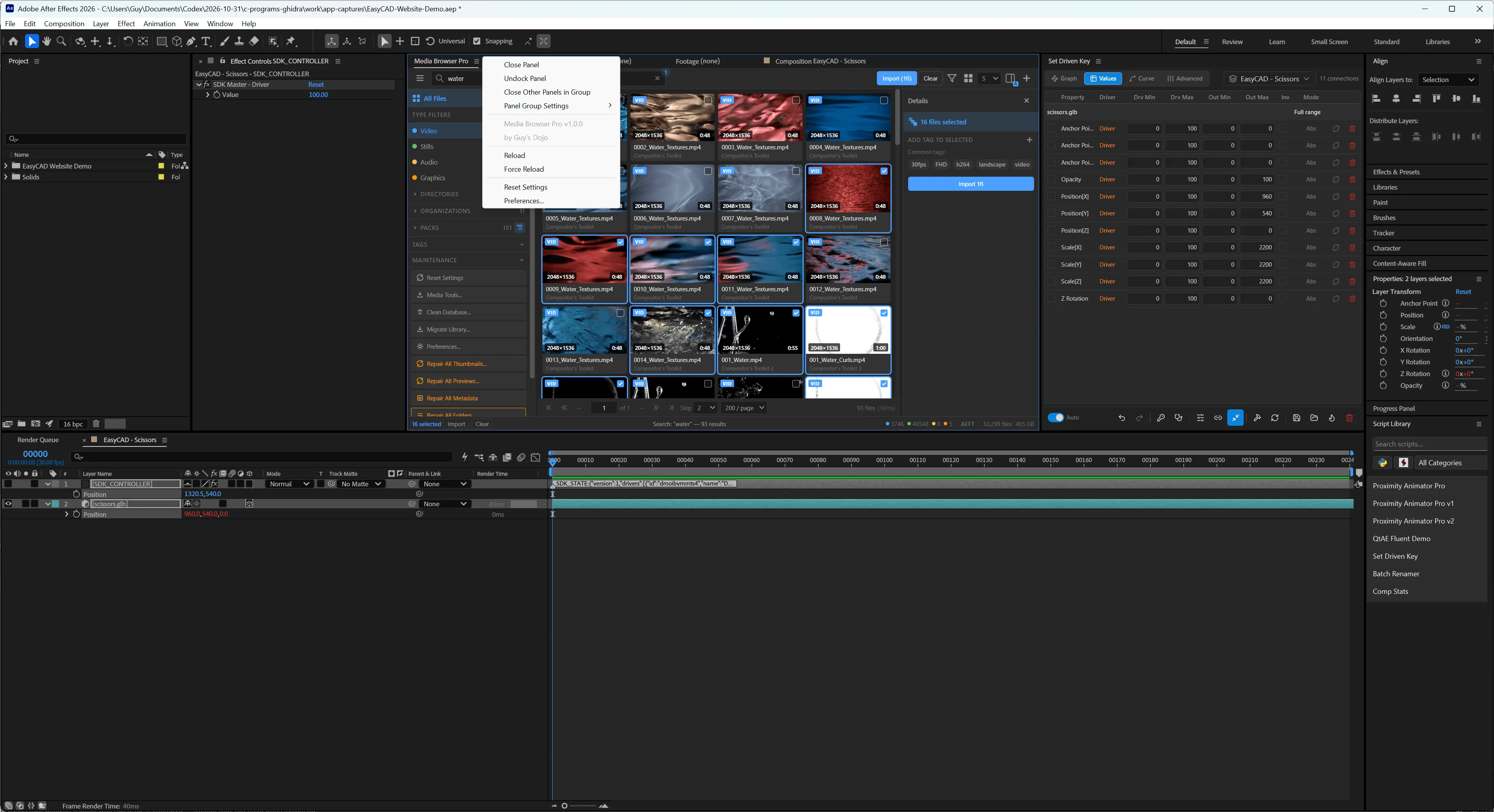
Gallery

Real screenshots from production — click any to look closer, then use the arrow keys.
刀 Take it home

Add it to your armory.

目録 Media Browser Pro · v1.0

$14 one-time · USD

Single-user licence · free updates for v1

  • Secure checkout by Stripe
  • Instant download
  • Try free for 14 days, then unlock with your key
  • No account needed

What you get

  • The Media Browser Pro panel for After Effects, Premiere Pro, Photoshop and Illustrator
  • Unlimited directories, files, packs and tags
  • Six themes plus Match Host, multi-level sorting, remappable modifier keys
  • Full documentation, tutorials and kata in the dojo

Runs in

  • Ae After Effects
  • Pr Premiere Pro
  • Ps Photoshop
  • Ai Illustrator

Requirements

  • · Windows 10 or 11
  • · After Effects, Premiere Pro, Photoshop or Illustrator (current Creative Cloud releases)
  • · ffmpeg + ffprobe for thumbnails and previews — the panel can fetch them for you
  • · Disk space for the cache: roughly 1–2 GB per 50,000 files

問答 Questions

Mondō

Questions and answers — the old way of teaching in a dojo.

After Effects, Premiere Pro, Photoshop and Illustrator. It is one panel and one library: the status bar shows which host you are in (AEFT, PPRO, PHXS or ILST).
Media Browser Pro is built and tested on Windows 10 and 11. If you are on macOS, get in touch before buying.
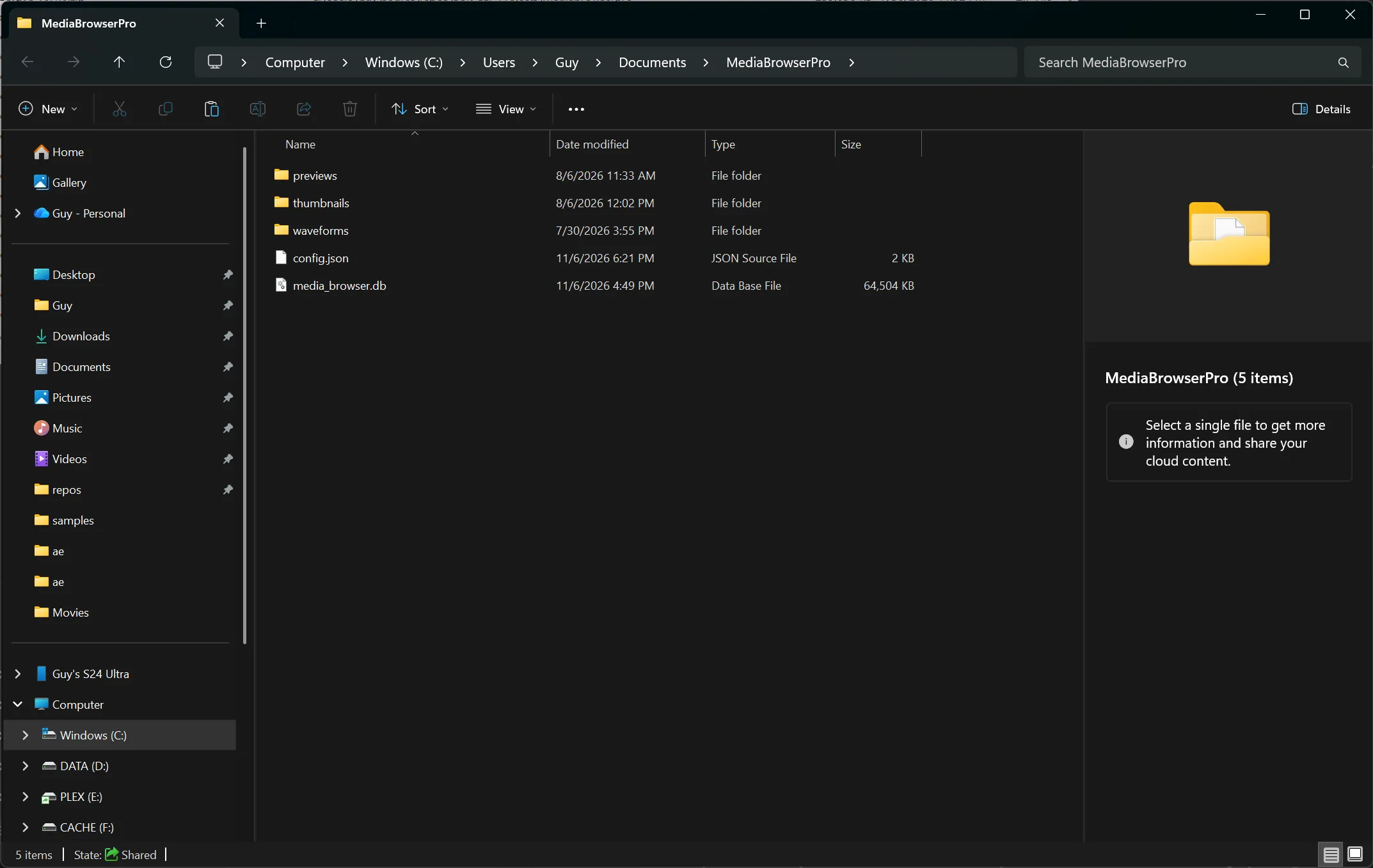
No. It reads your files to build an index, thumbnails, waveforms and previews, which it keeps in its own folder (Documents\MediaBrowserPro). Clean Database and Reset Settings never touch the media on disk.
ffmpeg and ffprobe read metadata and generate thumbnails, waveforms and previews. The panel finds them on your PATH, can download them for you from Media Tools…, or uses copies placed in the extension’s tools folder. Searching, tagging and importing work without them.
As a guide: a 50,299-file library produced 53,948 generated files totalling about 1.8 GB. Video previews are the largest part, and the cheapest to regenerate.
They are still indexed and importable — they just show an extension badge instead of a thumbnail.
Yes. Libraries on other drives work normally; some optional checks, like verifying that every file still exists, are slower on network or external drives.
Checkout is handled by Stripe. When payment completes you land on a download page for your order. Keep the Stripe receipt — if you ever lose the file, email it to us for a fresh link.
If it doesn’t work on your system and we can’t fix it together, you get your money back. See the licence & terms.