

鍵 Importing
Modifier keys
How Ctrl, Shift and Alt change an import — and how to remap them.
Each modifier key adds one behaviour to an import. They combine, and they work the same whether you click Import or drag files out of the panel.
Defaults
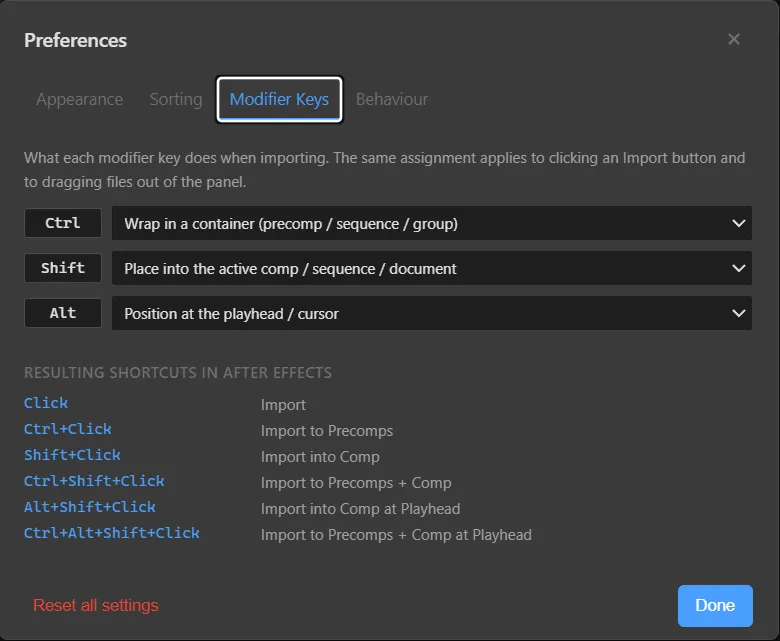
| Key | Behaviour |
|---|---|
| Ctrl | Wrap in a container — a precomp in After Effects, a sequence in Premiere Pro, a group in Photoshop and Illustrator |
| Shift | Place into the active comp / sequence / document |
| Alt | Position at the playhead (or the cursor) |
Resulting shortcuts in After Effects
| Shortcut | Result |
|---|---|
| Click | Import |
| Ctrl + Click | Import to Precomps |
| Shift + Click | Import into Comp |
| Ctrl + Shift + Click | Import to Precomps + Comp |
| Alt + Shift + Click | Import into Comp at Playhead |
| Ctrl + Alt + Shift + Click | Import to Precomps + Comp at Playhead |
Try it in the browser
The Media Browser Pro page has an interactive trainer — hold the keys on your keyboard and watch the result change.
Remapping
Open Preferences → Modifier Keys and choose a behaviour for each key from its dropdown. The Resulting shortcuts table updates as you change them.
Something unclear or missing? Tell the sensei and the page will be fixed.