製図 In the forge
Easy CAD Importer
STEP files in, clean meshes out. CAD import for After Effects, Maya and Houdini.
Easy CAD Importer tessellates STEP/STP CAD models into clean, render-ready meshes, with control over angle, tolerance, polygon type and scale. It keeps the assembly hierarchy and previews polygon and point counts before you commit. Currently being forged.
- Ae After Effects
- Ma Maya
- Hou Houdini
Windows / macOS
$14 one-time · USD · at launch
Hear the moment it leaves the forge

work in progress · subject to change
技 What's being forged
STEP files in, clean meshes out. CAD import for After Effects, Maya and Houdini.
Tessellation you control
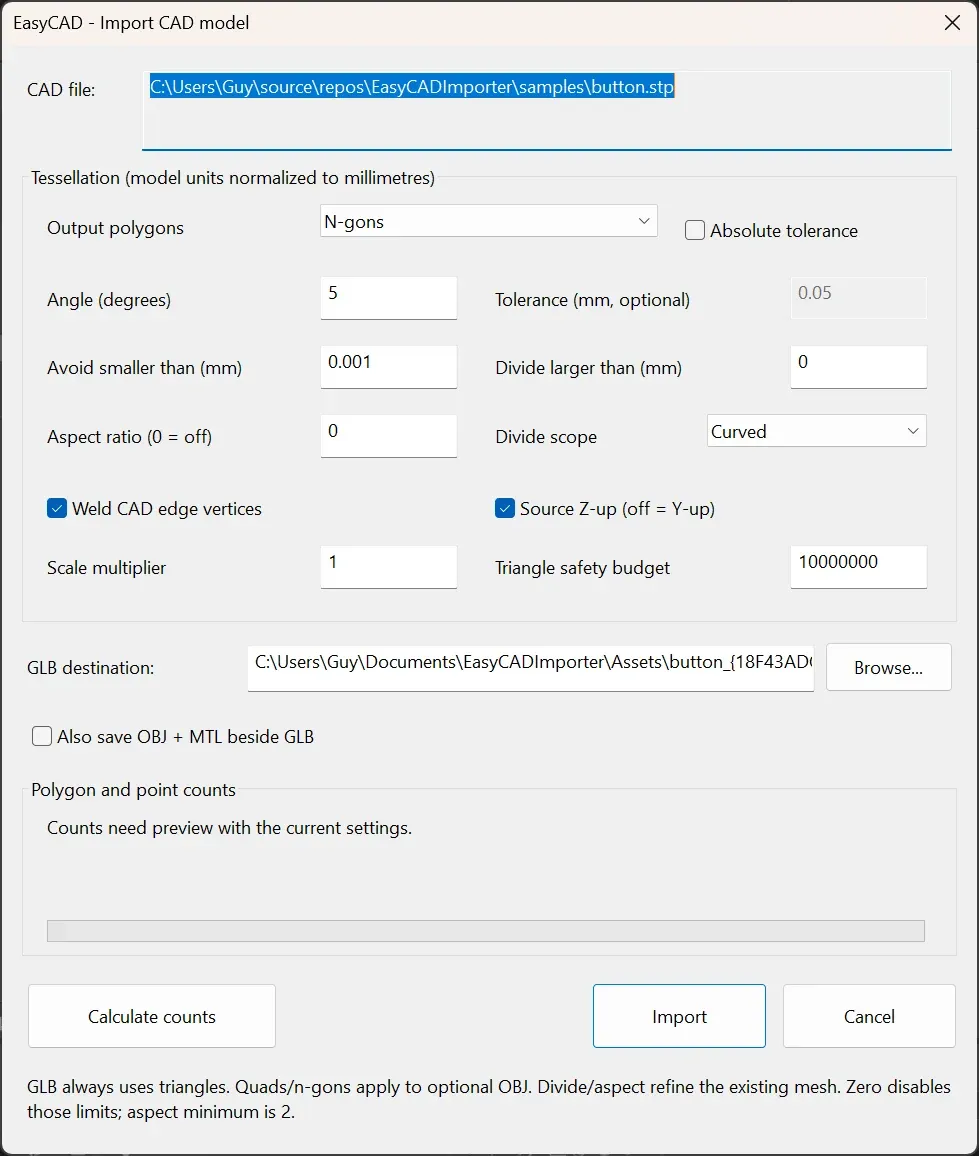
Angle and surface tolerance, smallest and largest edge, aspect limits, and triangles, quads or n-gons, with a triangle safety budget for huge assemblies.
Assemblies stay assemblies
Keeps the CAD hierarchy, welds vertices along CAD edges, converts Z-up sources and normalises units to millimetres.
Know before you import
Preview polygon and point counts with the current settings, then import into the host or save GLB / OBJ alongside.