
Most stock clips go straight into a precomp anyway — to hold a matte, a grade or a time remap. Media Browser Pro can do that for you on import.
The form
- Select the clips in the grid (tick their checkboxes, or click and Shift-click).
- Park the After Effects playhead where the clips should start.
- Hold Ctrl + Alt + Shift and click Import.
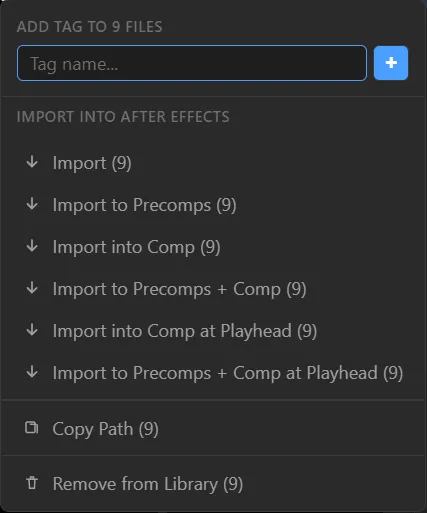
Each clip arrives in the Project panel inside its own precomp, and every precomp is placed into the active comp, starting at the playhead. A toast confirms it — Created 9 precomps.
Why it works
With the default mapping, each modifier adds one behaviour:
| Key | Adds |
|---|---|
| Ctrl | Wrap in a container (precomp) |
| Shift | Place into the active comp |
| Alt | Position at the playhead |
Combine them freely. The same keys apply when you drag clips out of the panel. You can remap any of them in Preferences → Modifier Keys.
Drill it
Pick three clips you use all the time. Import them with Shift + Click , then undo and try Ctrl + Shift + Click . Feel the difference in the Project panel. Then add Alt.